# One gateway, every way out
> PLCGateway collects the machine data once and offers it in the form each system wants: OPC UA for SCADA and historians, MQTT for IoT platforms and the cloud, Modbus TCP for other controllers, a REST API with a live stream for ERP, MES and scripts, and webhooks, e-mail and Telegram for the people and systems that must be told when something happens.
## Ways to get the data out
- **OPC UA server:** Every device and value as a node, with None / Sign / SignAndEncrypt, automatic certificates, client trust and user accounts. ([Learn more](https://plcgateway.com/connect.md))
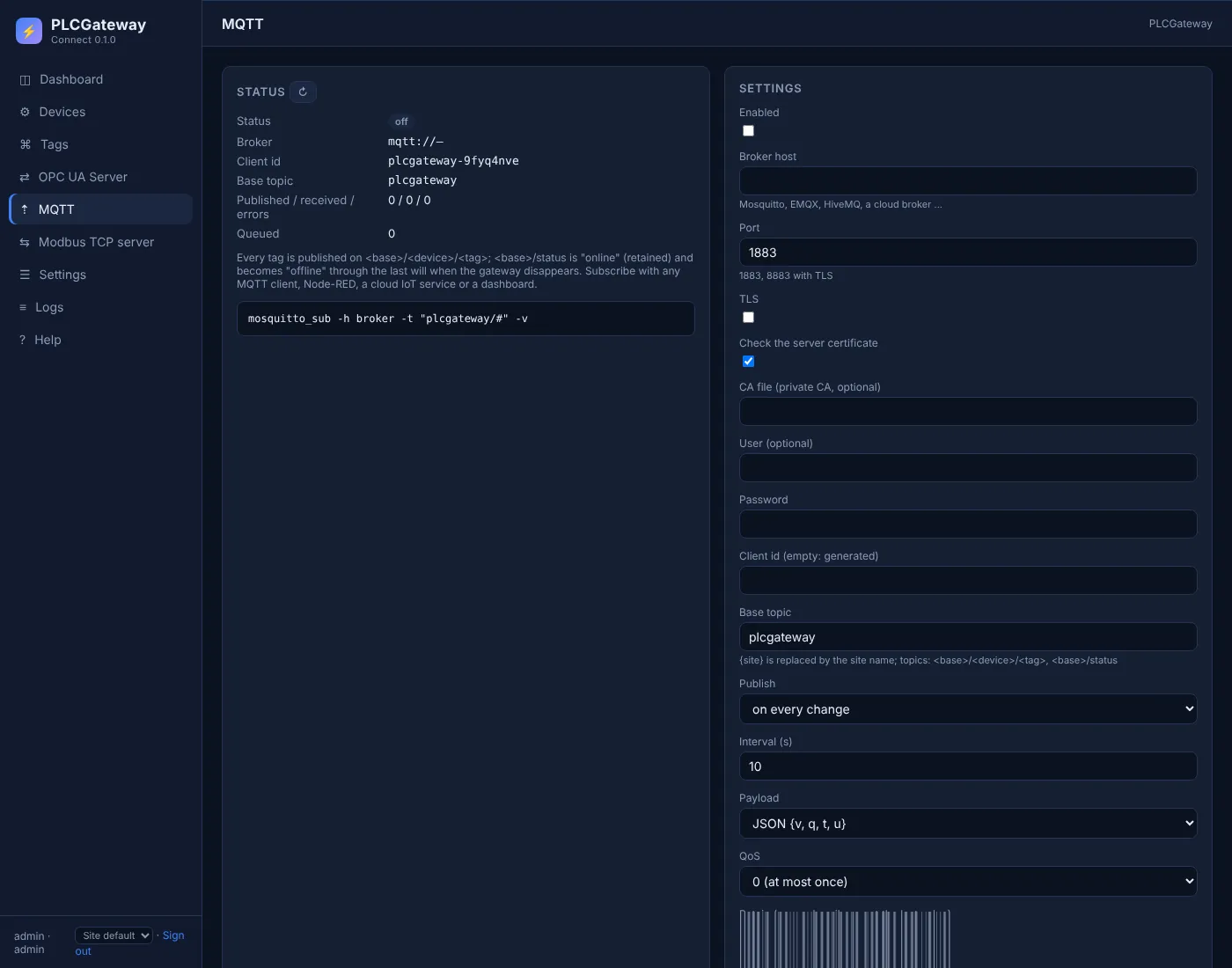
- **MQTT publisher:** Every tag on // as JSON with value, quality, time and unit, on change or on an interval, with TLS, birth and last will; optional writes over /set topics.
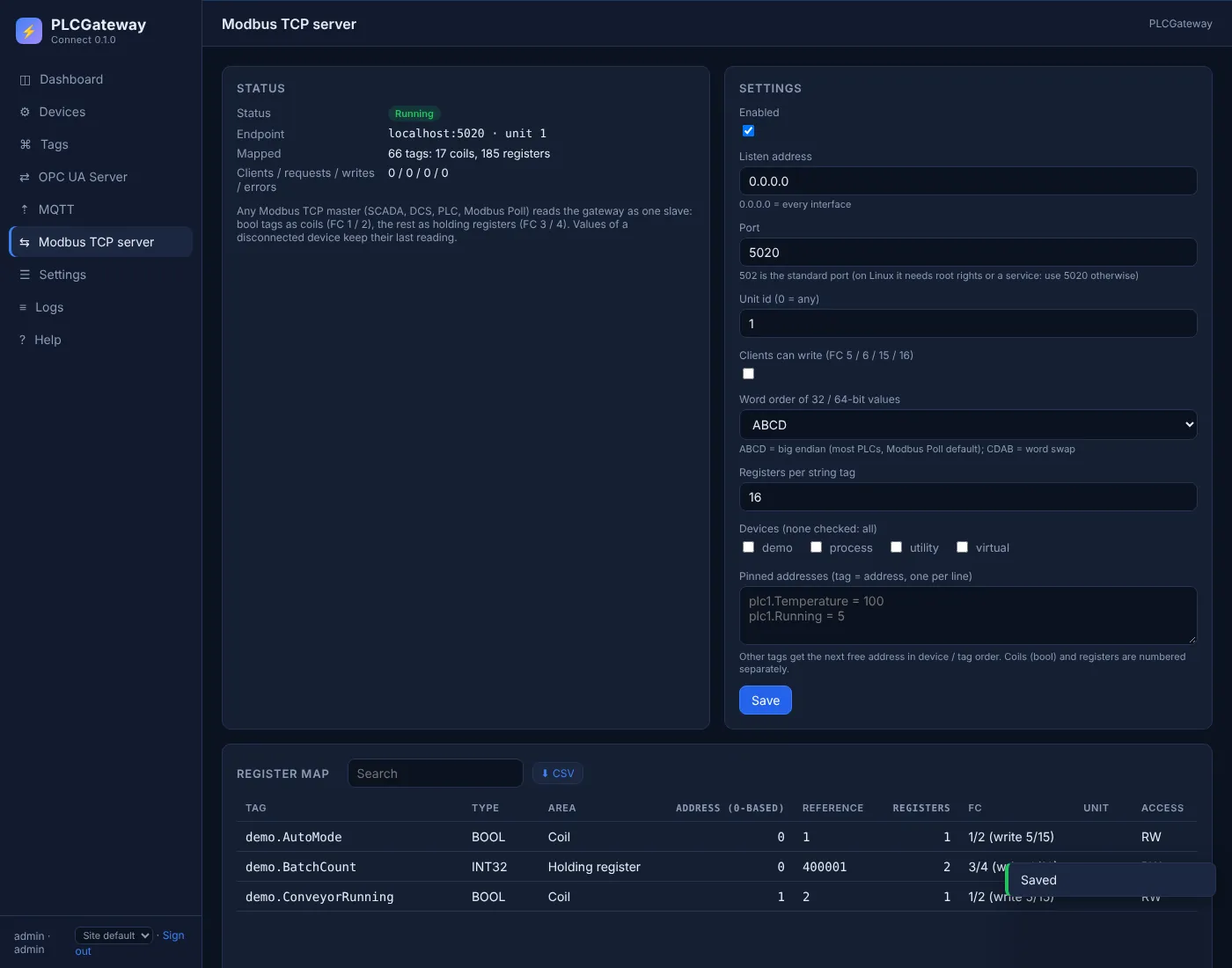
- **Modbus TCP server:** All tags as one Modbus slave: coils and holding registers assigned automatically or pinned, selectable word order, address map as CSV.
- **REST API and live stream:** Values, history with aggregates, alarms, production figures, data sources and writes over HTTPS with a token; Server-Sent Events push every change.
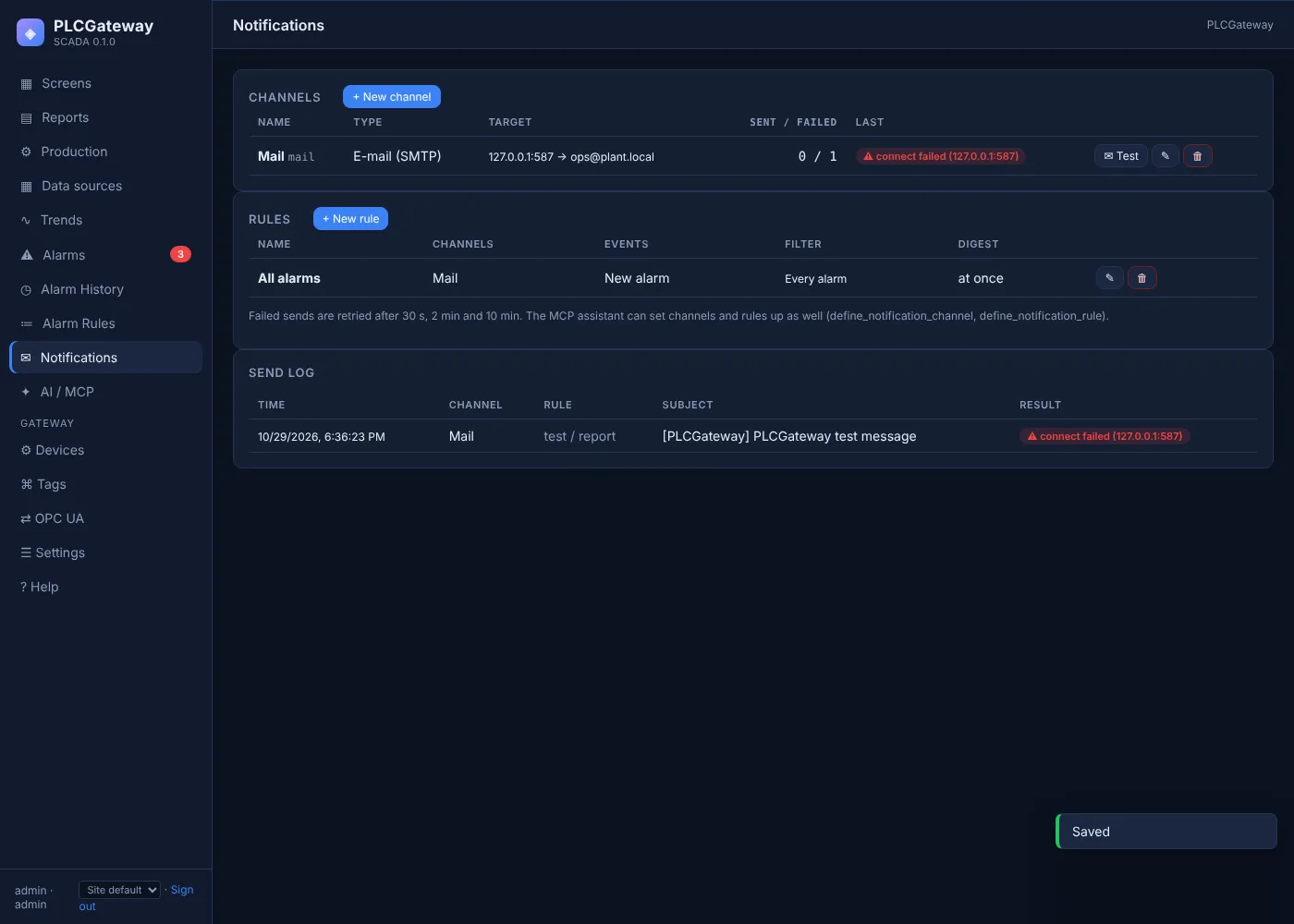
- **Notifications:** E-mail over SMTP with STARTTLS, Telegram bots and webhooks with custom headers; rules by priority, group and alarm, digests for floods, retries and a send log.
- **Scheduled reports:** Daily, weekly and shift reports with production figures, alarm statistics and the energy section as HTML e-mail with CSV attachments.
- **Data sources:** Work orders, recipes and logs as tables the ERP fills over the API and screens read; CSV import and HTTP pull.
- **Examples from the assistant:** An AI assistant explains which path fits and returns copy-and-run examples with your real tags, topics and registers. ([Learn more](https://plcgateway.com/ai-mcp.md))
## MQTT for IoT platforms and the cloud
Mosquitto, EMQX, HiveMQ, AWS IoT Core or Azure IoT Hub through a bridge, Node-RED, Grafana via Telegraf: subscribe to the gateway's topics instead of polling the PLCs. The publisher reconnects with a growing delay, queues messages meanwhile and tells the broker when the gateway is online or gone.
- MQTT 3.1.1 over TCP or TLS, QoS 0 or 1, retained messages
- JSON payload or the bare value, per device selection
- Status with published and received counts and the last error
## Modbus TCP for the systems that only speak Modbus
A DCS, another SCADA or a PLC reads the gateway like a single device, including tags from protocols it does not speak itself: S7, Mitsubishi, FOCAS, OPC UA, IEC 61850. Bools become coils, numbers holding registers in one, two or four words; the map stays stable and can be pinned, and the client gets a CSV of it.
- Function codes 1 to 6, 15 and 16, unit id, up to 16 clients
- Writes switched off by default
- Last known value while a device is disconnected
## Tell the people and the systems
Notification channels carry alarms, maintenance work orders and reports. A rule says which events go where: priority, group, single alarms, on, off and acknowledge events, with a digest window so a flood of alarms becomes one message. Webhooks post JSON with your headers to ticket systems, chat tools and in-house APIs; failed sends are retried and logged.
- E-mail (SMTP, STARTTLS / TLS), Telegram, webhook
- Test send with the server transcript when something fails
- Secrets stored masked, never shown again
## Which way for which system
| System | Recommended path | Why |
|---|---|---|
| SCADA, historian, MES with OPC UA client | OPC UA server | Standard in the industry, subscriptions, certificates and user accounts |
| IoT platform, cloud, Node-RED, Grafana | MQTT publisher | Many consumers, publish on change, no polling of the machines |
| DCS, PLC, SCADA that only speaks Modbus | Modbus TCP server | One slave for all machines, stable register map |
| ERP, BI, scripts, dashboards | REST API and live stream | JSON over HTTPS with a token, history with aggregates, writes with operator rights |
| Ticket system, CMMS, chat, in-house receiver | Webhooks and e-mail | Pushed when alarms, work orders or reports happen |
| Spreadsheets, one-off analyses | CSV exports | Tag list, Modbus map, report attachments, history to CSV |
## Integrations: common questions
### How does an AI assistant connect to PLCGateway, and what can it do with the data?
Every PLCGateway product includes an MCP (Model Context Protocol) server over Streamable HTTP and stdio. An assistant that supports MCP connects with a user session or a token and gets tools for values, history, alarms, production figures, energy, maintenance and configuration, each limited to the rights of that user. It can answer questions from live and historical data, draft screens and reports for people to review, set up devices and tags, and hand your integrator ready examples for every integration path on this page.
### Can PLCGateway send data to the cloud?
Yes. The MQTT publisher sends every value to a broker over TLS, which is how AWS IoT Core, Azure IoT Hub (through its MQTT bridge), HiveMQ Cloud, EMQX Cloud and most IoT platforms take data in. The REST API and webhooks are the alternative for HTTP-based services.
### Is there a REST API?
Yes. Tags, current values, history with raw samples or aggregated buckets and counter increases, alarms, production KPIs, data sources, energy and maintenance figures are available as JSON over HTTPS with a bearer token; a Server-Sent Events stream pushes every change. Writes need operator rights.
### How do I get the exact examples for my integrator?
Connect an MCP-capable AI assistant to the gateway and ask: it reads the integration guide, checks what is switched on and returns copy-and-run snippets in curl, Python, Node.js or C# with your real tag names, MQTT topics, Modbus addresses and OPC UA node ids, without the token.
### Can other systems write to the PLC through PLCGateway?
Yes, when it is allowed: over OPC UA with a writable node, over MQTT /set topics when writes are enabled, over Modbus function codes 5, 6, 15 and 16 when the server allows writes, and over the REST API with operator rights. Writes to read-only tags or disconnected devices are rejected with a clear error.
## Which system should see your machines?
Tell us what you run; we show the path, the payload and the first values arriving in your system. → https://plcgateway.com/contact
---
Source: https://plcgateway.com/integrations