The operator panel, right on the machine
Embedded draws the operator screens itself, natively, on the display of an industrial panel or embedded device: no browser, no desktop. It includes everything in SCADA, so the panel is connected, records history, shares its data over OPC UA and works with AI assistants.
Native screens, not a browser
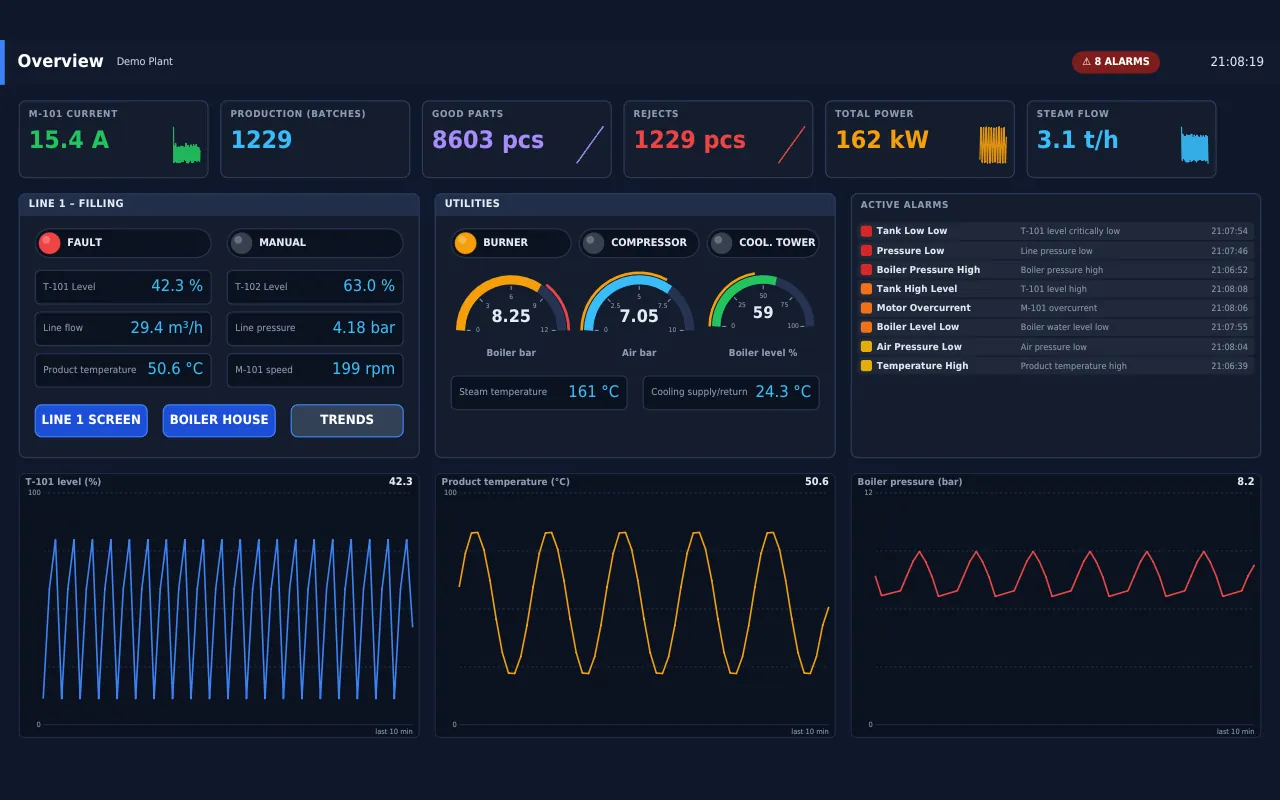
The panel does not open a web page. A built-in graphics engine draws the screens directly on the display and reads the touch screen, so the device starts straight into the operator screen and stays responsive even on small processors.
- Linux framebuffer with touch screen or mouse, a window on Windows
- Only the parts of the screen that change are redrawn
- The same screens are also available in the browser
- The panel can be watched and operated remotely from the web
From compact ARM panels to powerful PCs
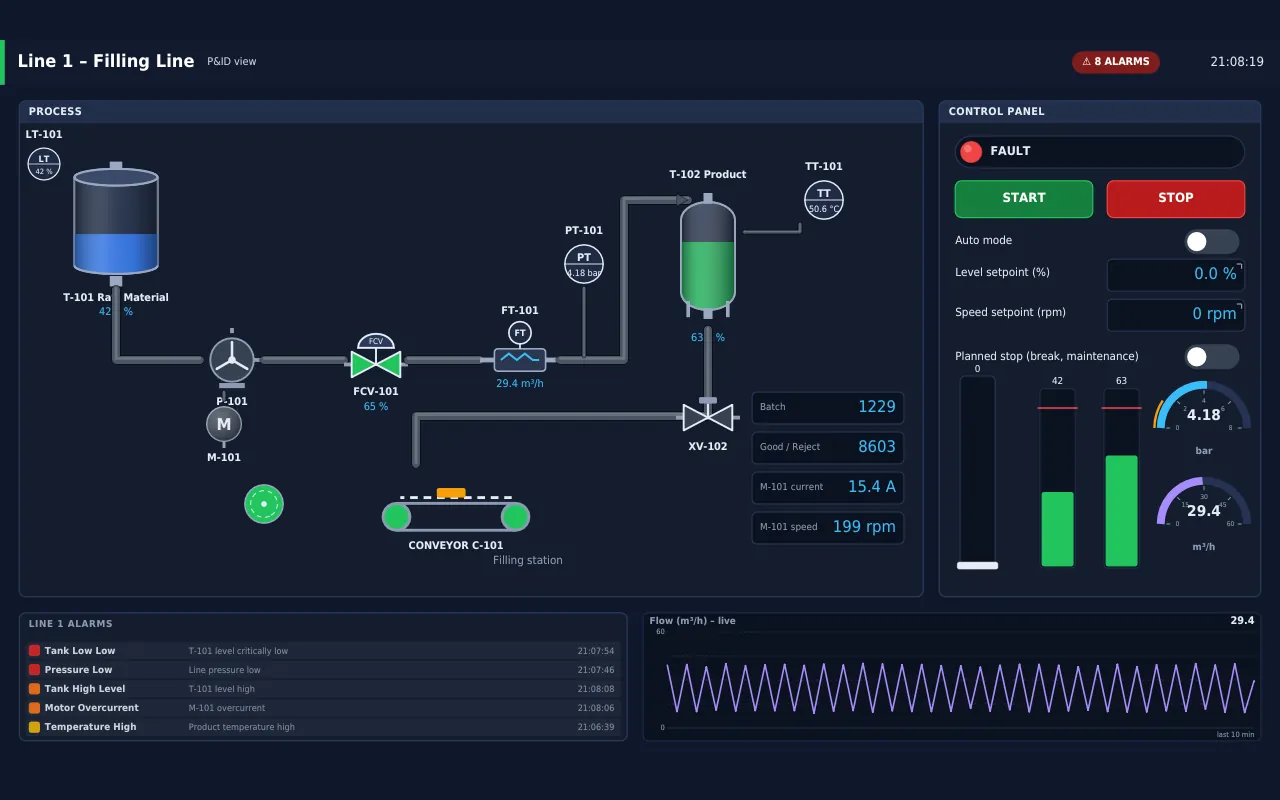
Embedded is built to run on modest hardware: compact ARM panels and boards with limited memory and processing power. The same software runs just as well on powerful panel PCs and industrial PCs, so one solution covers small machines and large lines.
- Linux on ARM (64-bit and 32-bit) and x64, Windows
- Runs well on small processors with little memory
- Scales up to powerful panel PCs and industrial PCs
Downtime and work orders at the machine
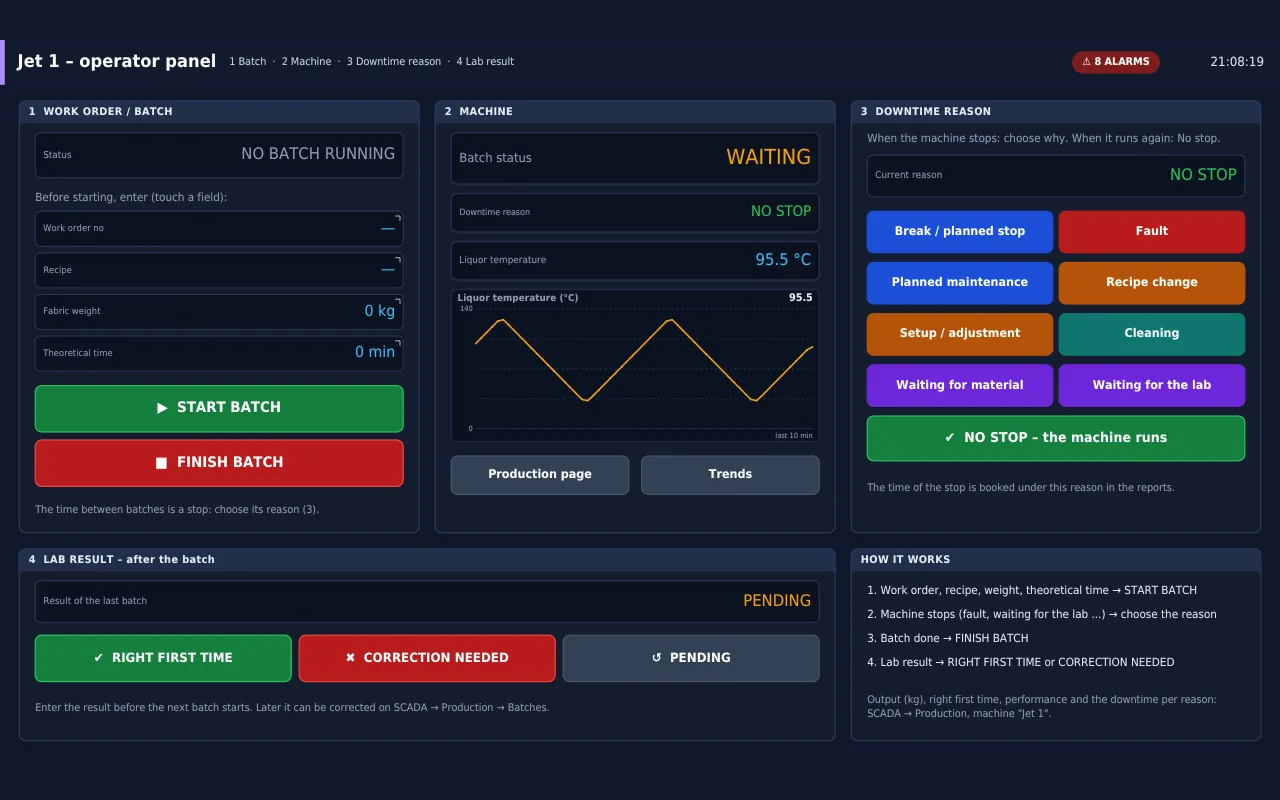
The operator screens for work orders, downtime reasons and lab results run on the panel exactly as in SCADA. The operator taps the reason when the machine stops, starts and finishes orders and batches, and every write is confirmed first; the figures go straight into OEE and the reports.
- Downtime reasons and work orders on the touch screen
- Numeric keypad and on-screen keyboard for entries
- Panel texts and translated screens in ten languages
Screens made with AI
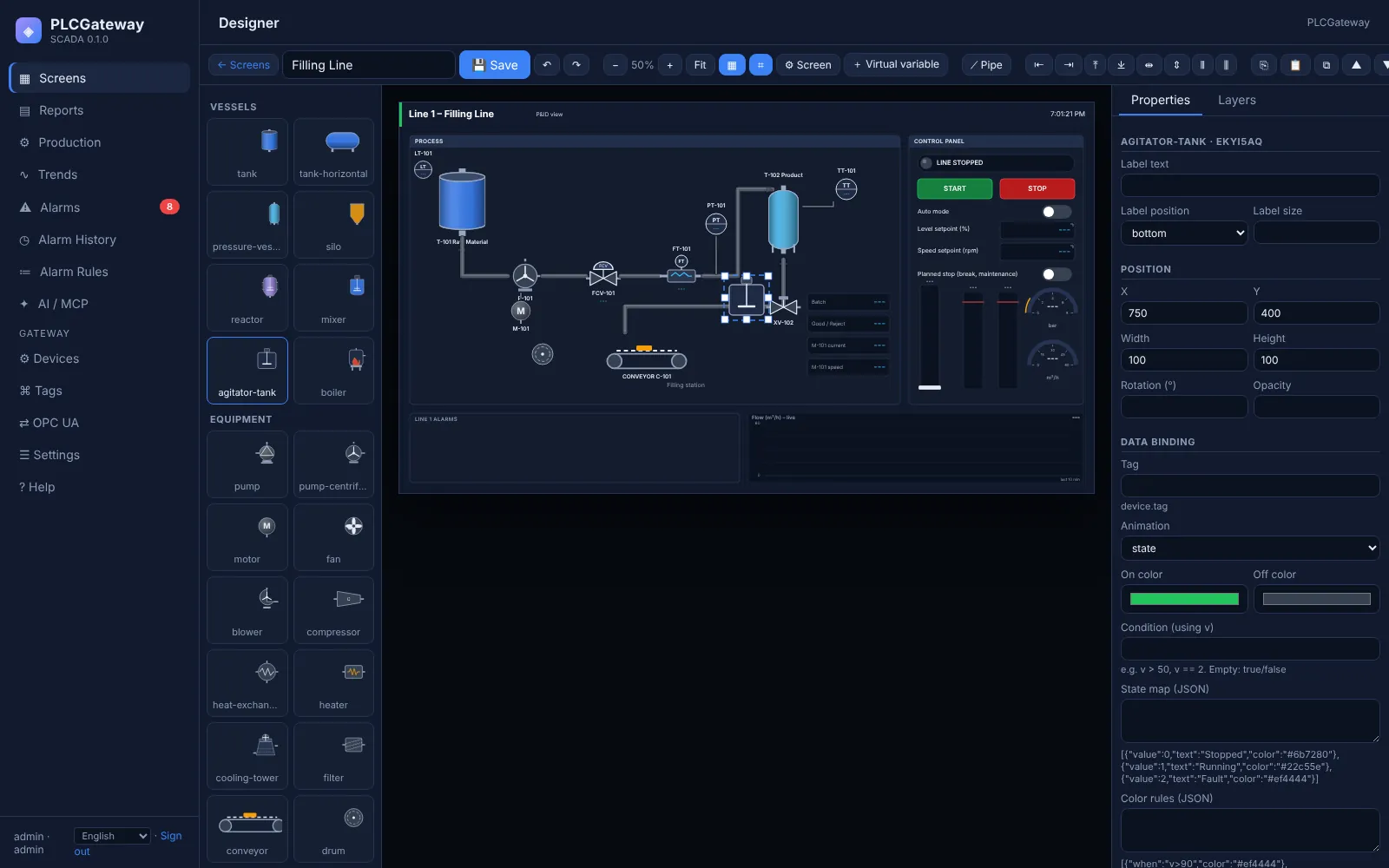
Screens are designed in the web interface, by hand or by an AI assistant over MCP. Ask for an operator screen for a machine: the assistant drafts it with the plant's own tags and symbols, an engineer reviews and publishes it, and the panel shows it.
- Drafts from a plain-language description
- Built from the plant's tags, descriptions and symbols
- Published only after a person approves
Made for the machine
Built for operators
Numeric keypad, on-screen keyboard, confirmations, PIN entry and faceplates on the panel.
Alarms on the device
A built-in alarm list, navigation bar and notifications on the panel itself.
In the operator's language
The panel shows its own texts and translated screens in ten languages.
Remote view
Watch the panel and tap it remotely from the web interface, for support and commissioning.
Typical projects
Machine builders
A local HMI on each machine, with the same screens available remotely in the browser.
Retrofit
Older machines get a modern operator panel and connected data without changing the control logic.
Edge panels
A panel that also collects data from nearby controllers and shares it over OPC UA.
AI at the machine
Machine data, alarms and OEE of the panel available to AI assistants over MCP.
Have a panel in mind?
Tell us the display size and the hardware; we will check the fit.