Count production the way your trade does
Every industry counts differently. In PLCGateway SCADA you define each machine or line once, the way your site counts it, by hand or with an AI assistant; the Production page, the reports and the AI answers then use the same definition.
Three ways machines produce
| Model | Output | Performance | Quality |
|---|---|---|---|
| Counts pieces | Machine cycles × pieces per cycle (cavities of the mould, parts per stroke, bottles per cycle) | Ideal cycle time against the actual time | Reject or good counter |
| Runs continuously | A speed or rate over time (m/min → m, kg/h → kg) or a length / weight counter | Actual speed against the ideal speed | Second quality or reject quantity |
| Works in batches | The load of each batch (kg from a scale or an entry) | Theoretical (standard) time against the actual batch time | Right first time: no addition, correction or re-processing |
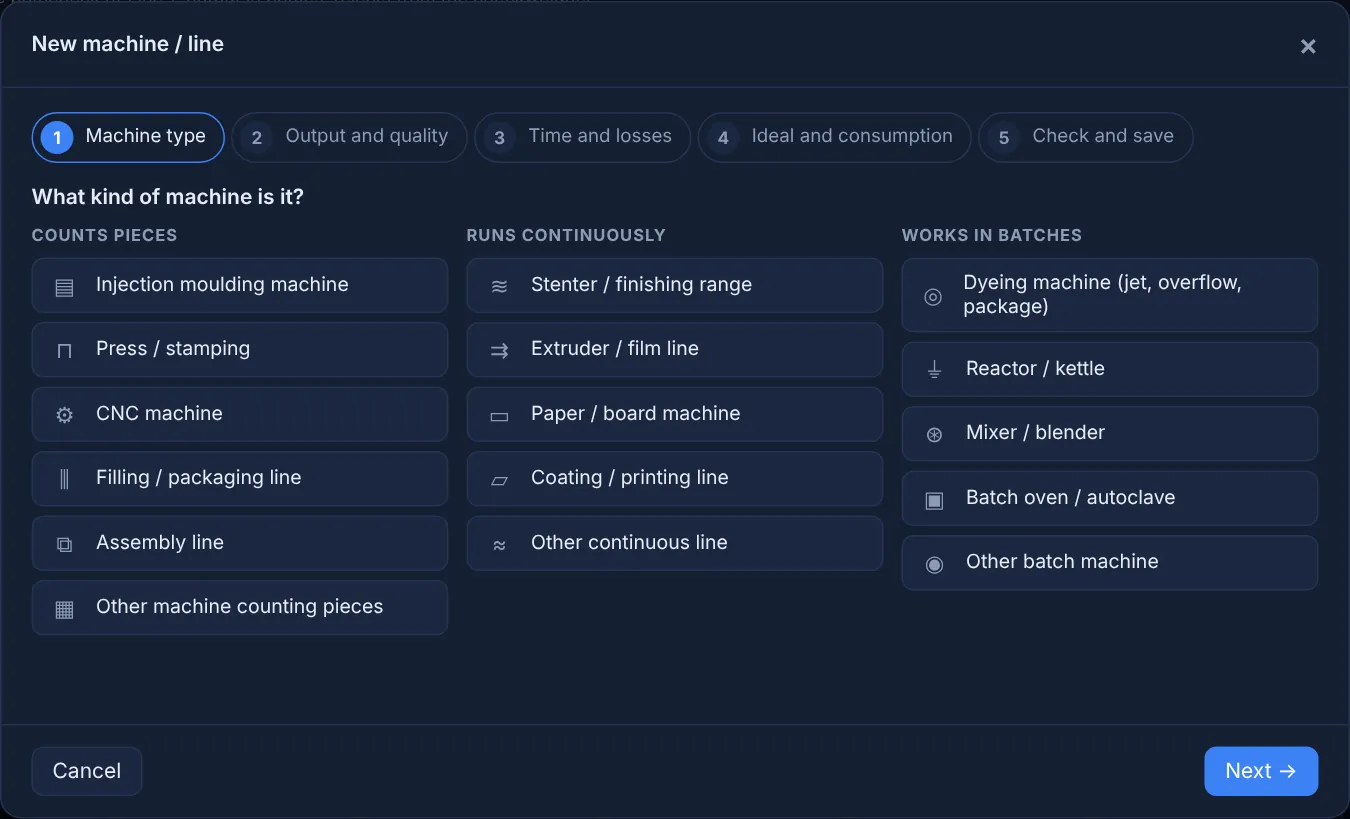
A machine editor in five steps
Machine type, output and quality, time and losses, ideal and consumption, check. Fields are named the way the trade names them: shot counter and cavities for injection moulding, fabric speed for a stenter, theoretical time of the recipe for a dyeing machine. An AI assistant can define the same machine from a conversation.
- Values picked from a searchable list with live readings
- Missing values created on the spot as operator entries
- The last 24 hours calculated before saving
Operator screens that feed the figures
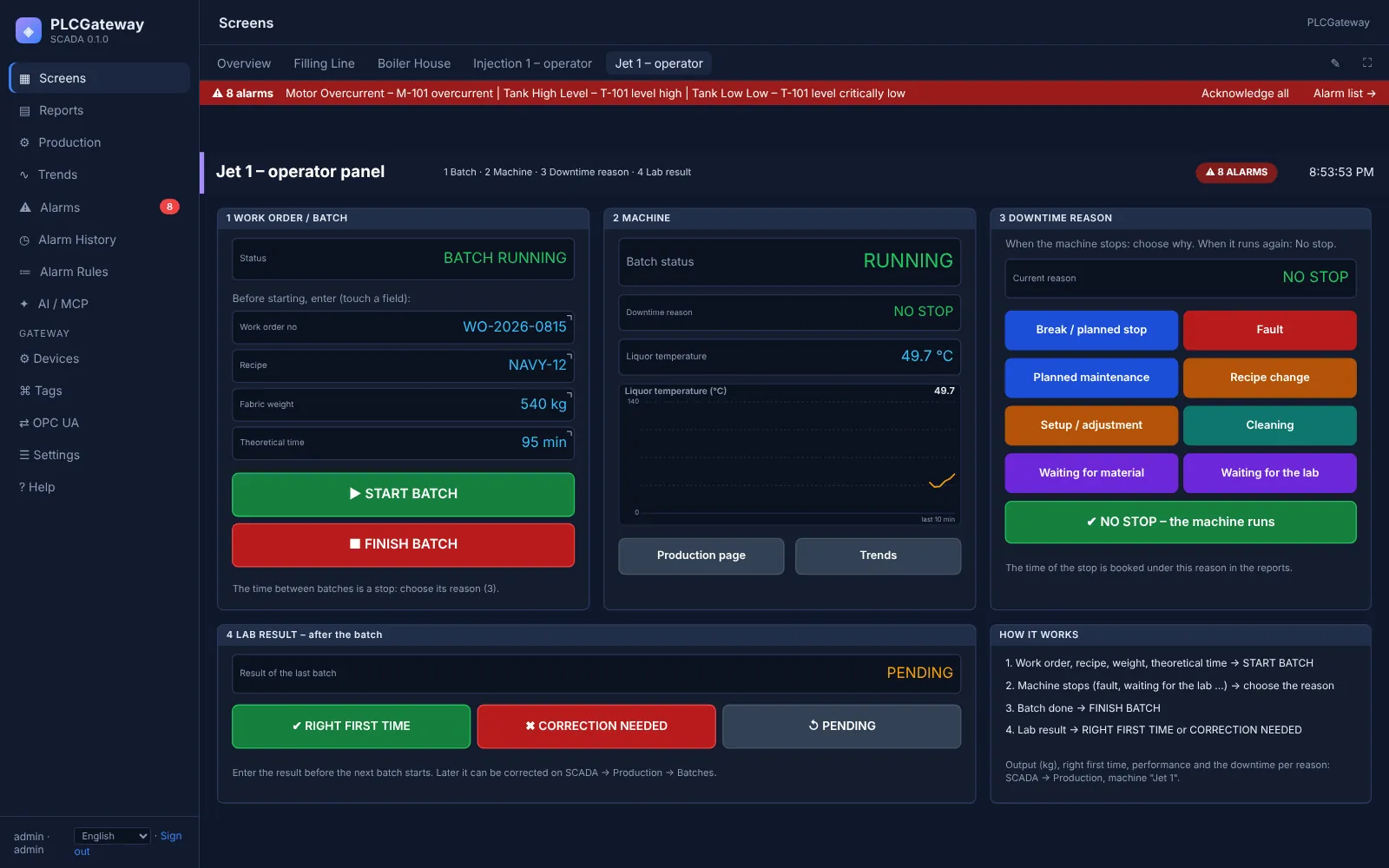
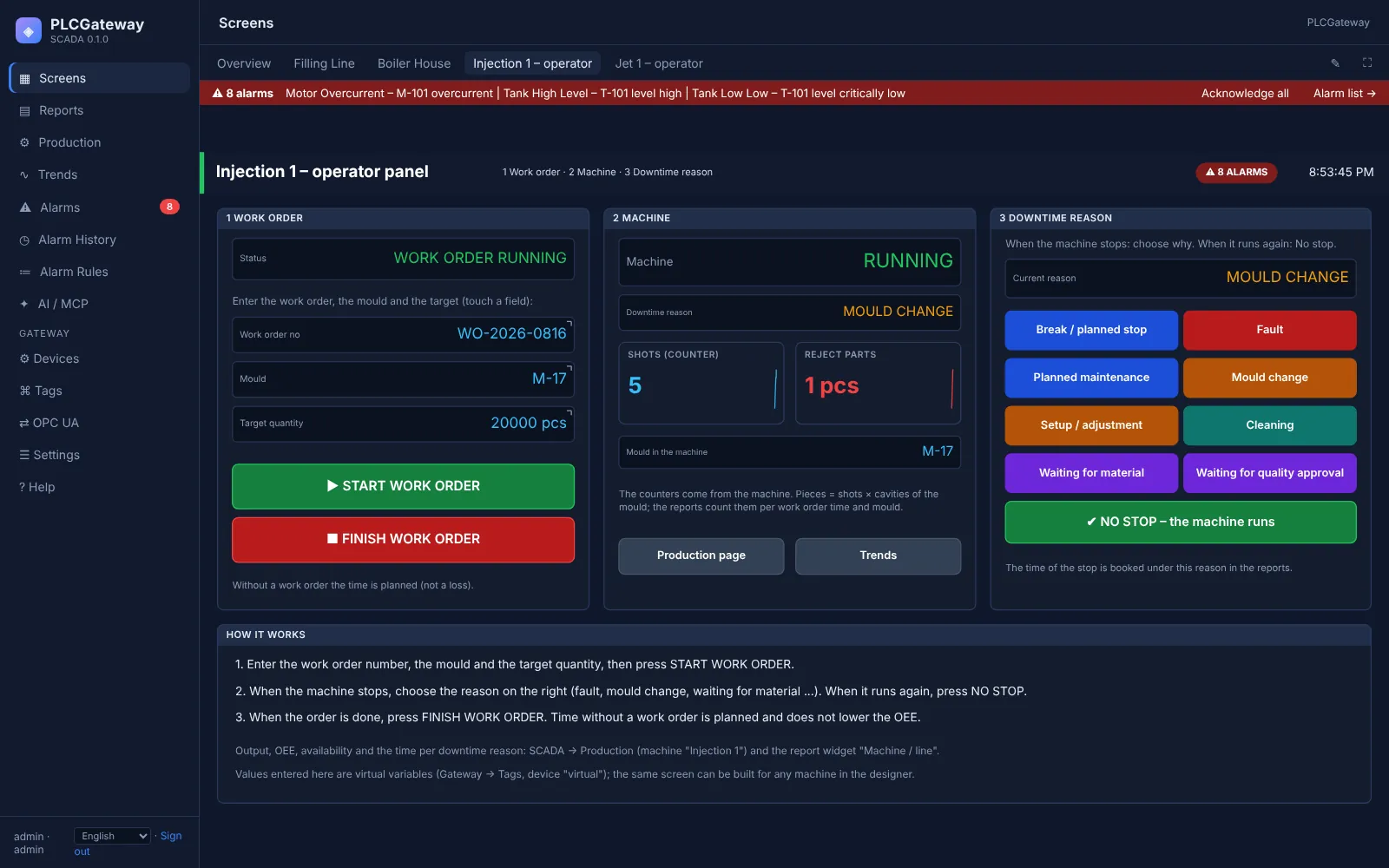
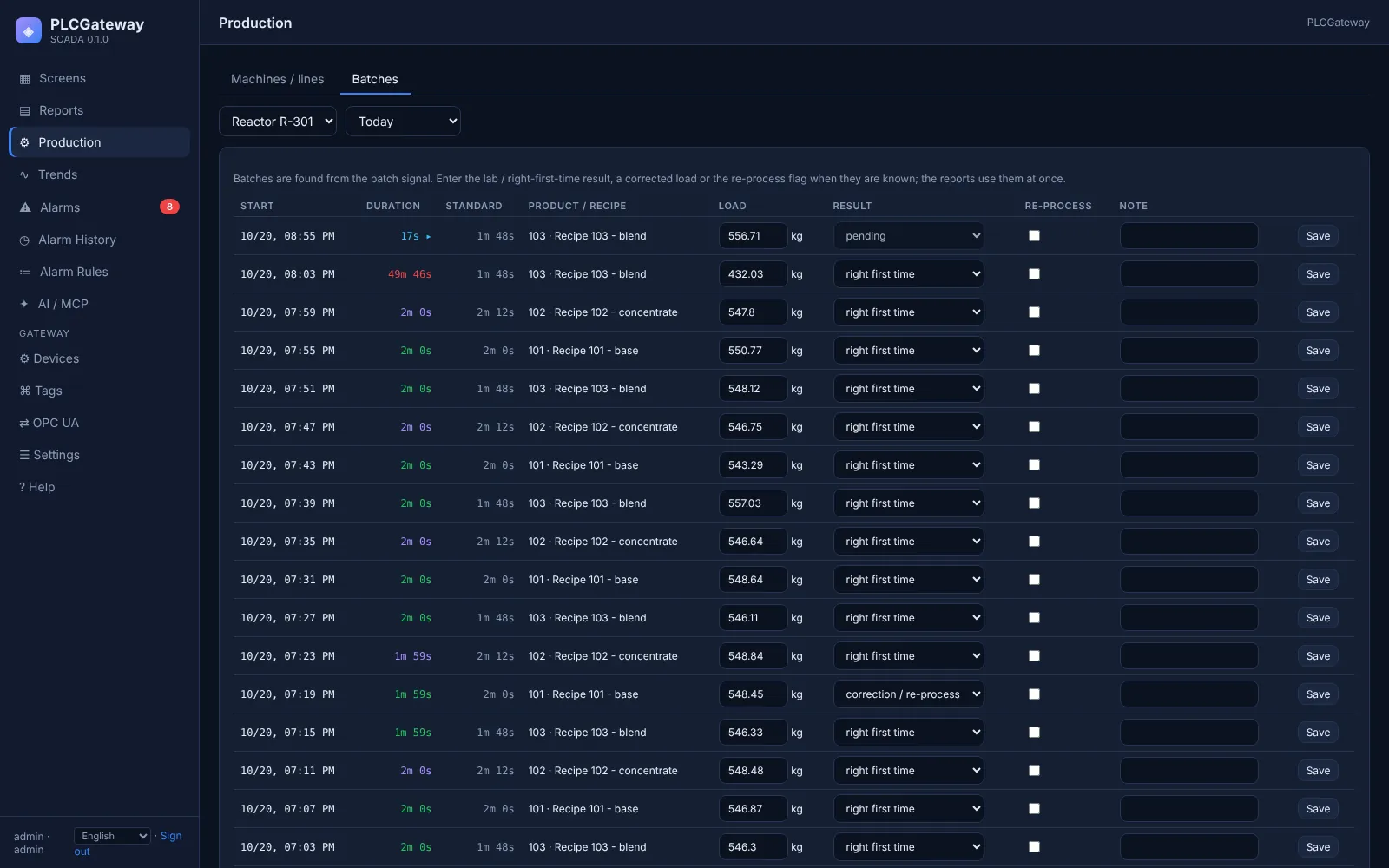
The demo includes two operator screens. On the injection moulding machine the operator starts the work order, picks the downtime reason when the machine stops and finishes the order. On the dyeing machine the operator starts and finishes batches and enters the lab result: right first time or correction needed.
- Downtime reasons mapped to fault, changeover, setup, cleaning, waiting or planned stop
- Time without a work order counted as planned
- Lab results entered later on the Batches tab
The figures
Availability
Production time ÷ planned time. Changeover, cleaning or setup can be planned up to an allowance per occurrence; the overrun is a loss.
Performance
Ideal time of the output ÷ production time; for batches, theoretical time ÷ actual batch time.
Quality
Good ÷ produced, or right first time for batches; pending lab results are not counted as bad.
OEE and ISO 22400 style
Availability × performance × quality by your site's rules, with an ISO 22400 style figure that counts every stop as a loss.
Efficiency and loading
Ideal time of the good output ÷ planned time, and batch load ÷ machine capacity.
Consumption per unit
Energy, steam, water or gas reported per unit of output, e.g. kWh per kg.
Machine performance at a glance
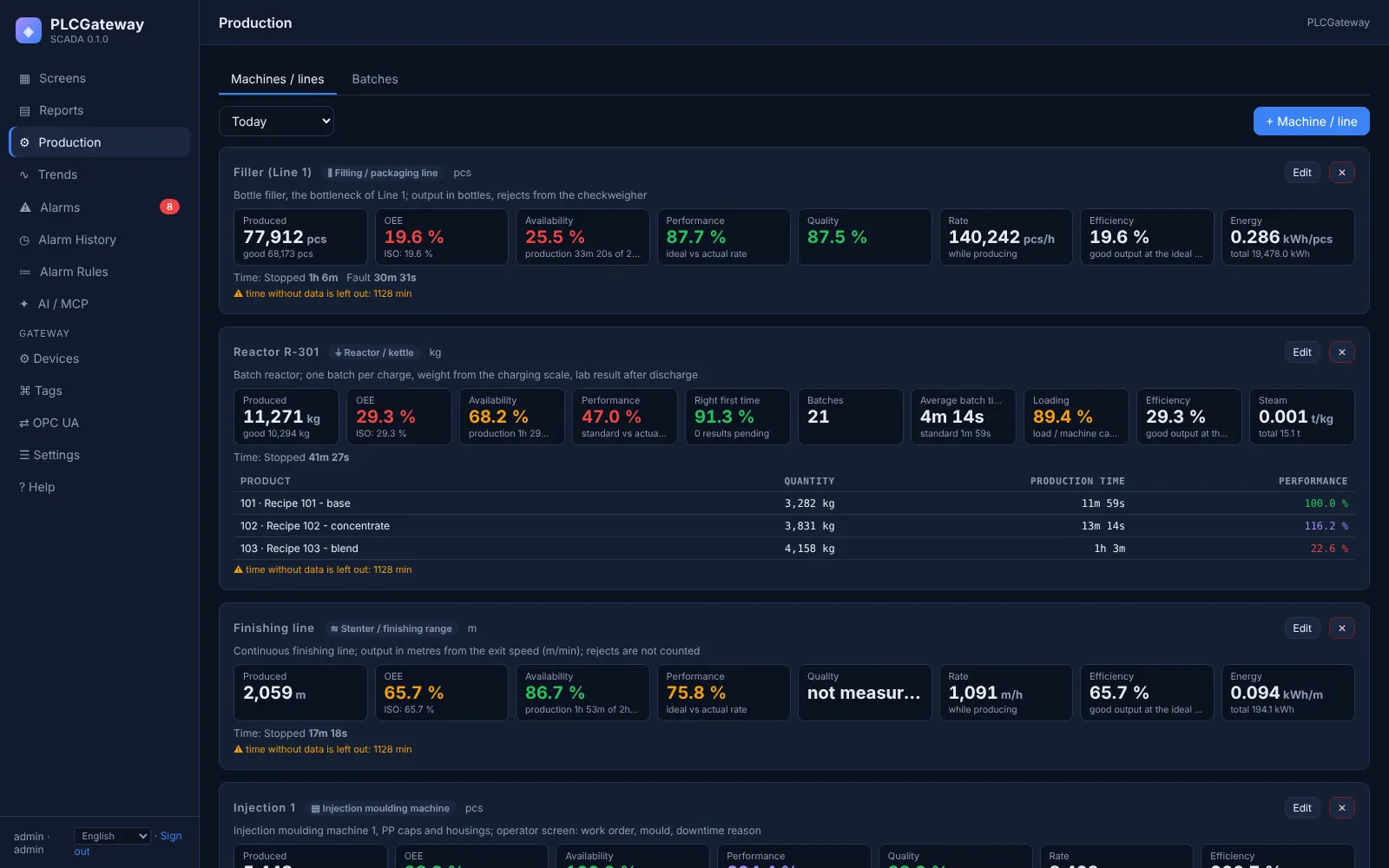
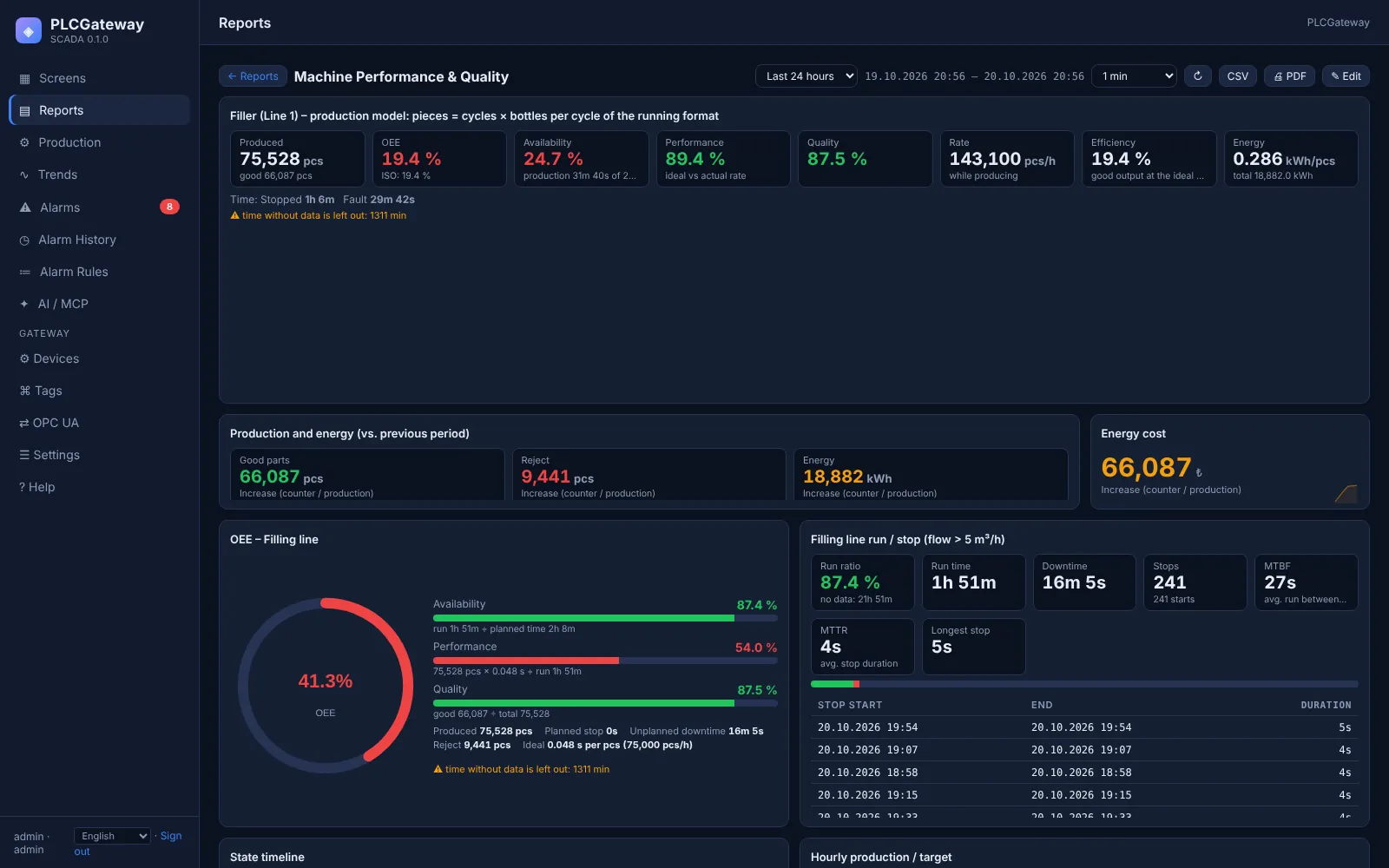
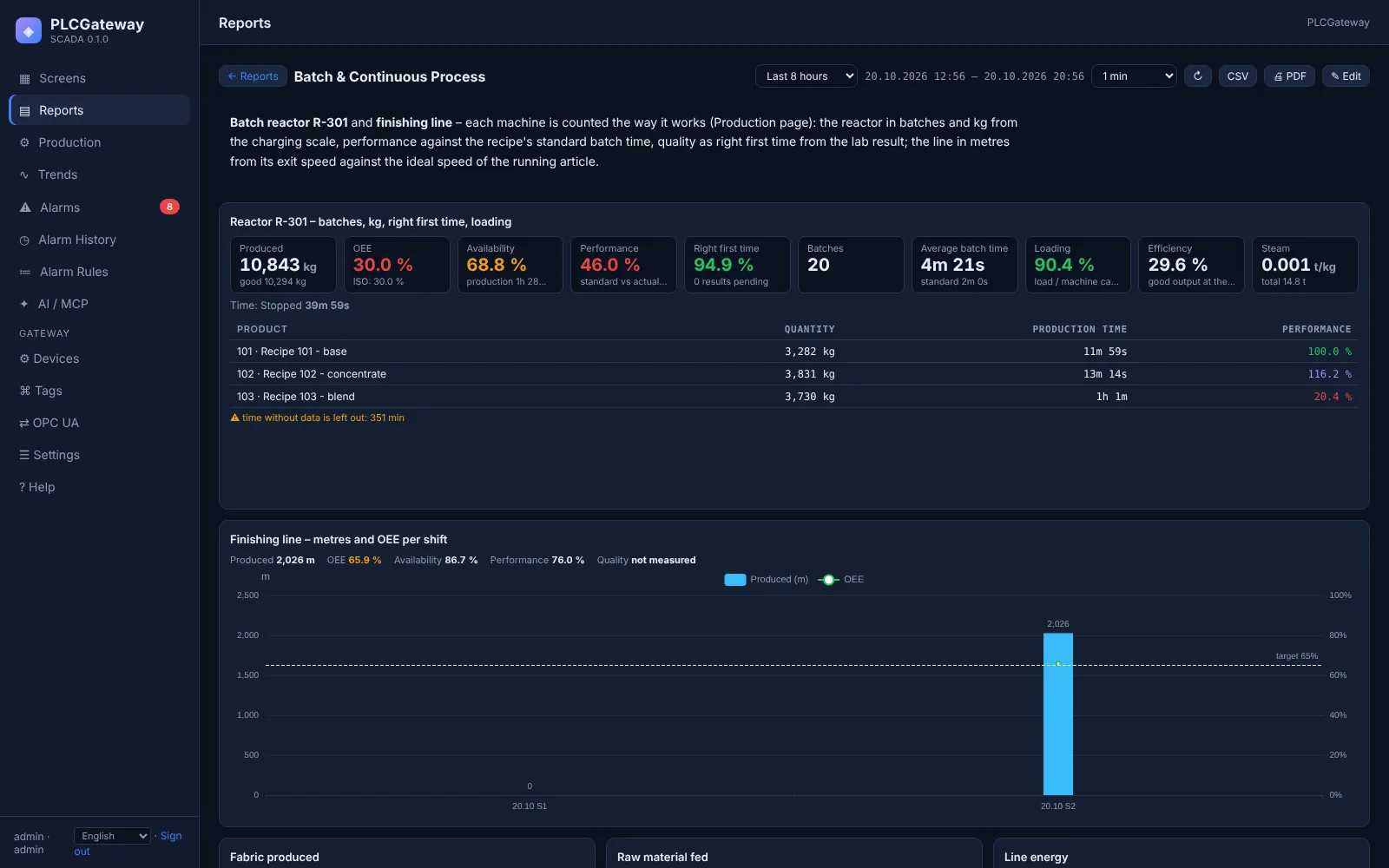
The Production page shows every machine with its output, OEE, availability, performance and quality for today, a shift or any range; report widgets show the same figures per hour, shift or day. All ratios are calculated from summed totals, never as an average of percentages.
Production screens
Bring one machine, leave with its OEE
Tell us how the machine signals running, output and quality; we will show the figures with your signals.