Monitor the process. Report the results. Ask AI.
SCADA gives operators live screens and alarms and gives managers reports and OEE, in any browser. AI assistants draft screens and reports and answer questions over MCP. It includes everything in Connect, so the machines are connected and shared over OPC UA as well.
Live screens for every role
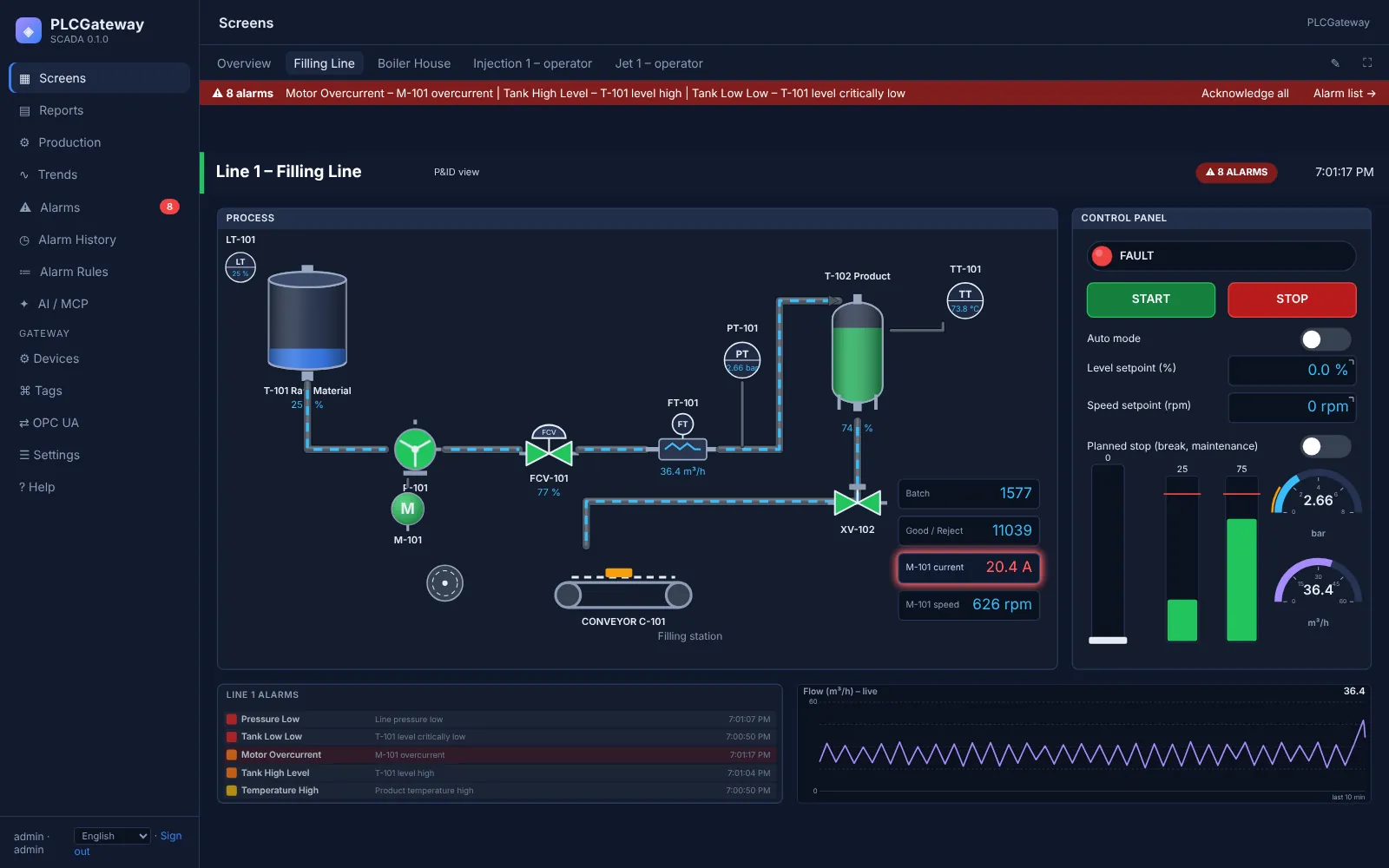
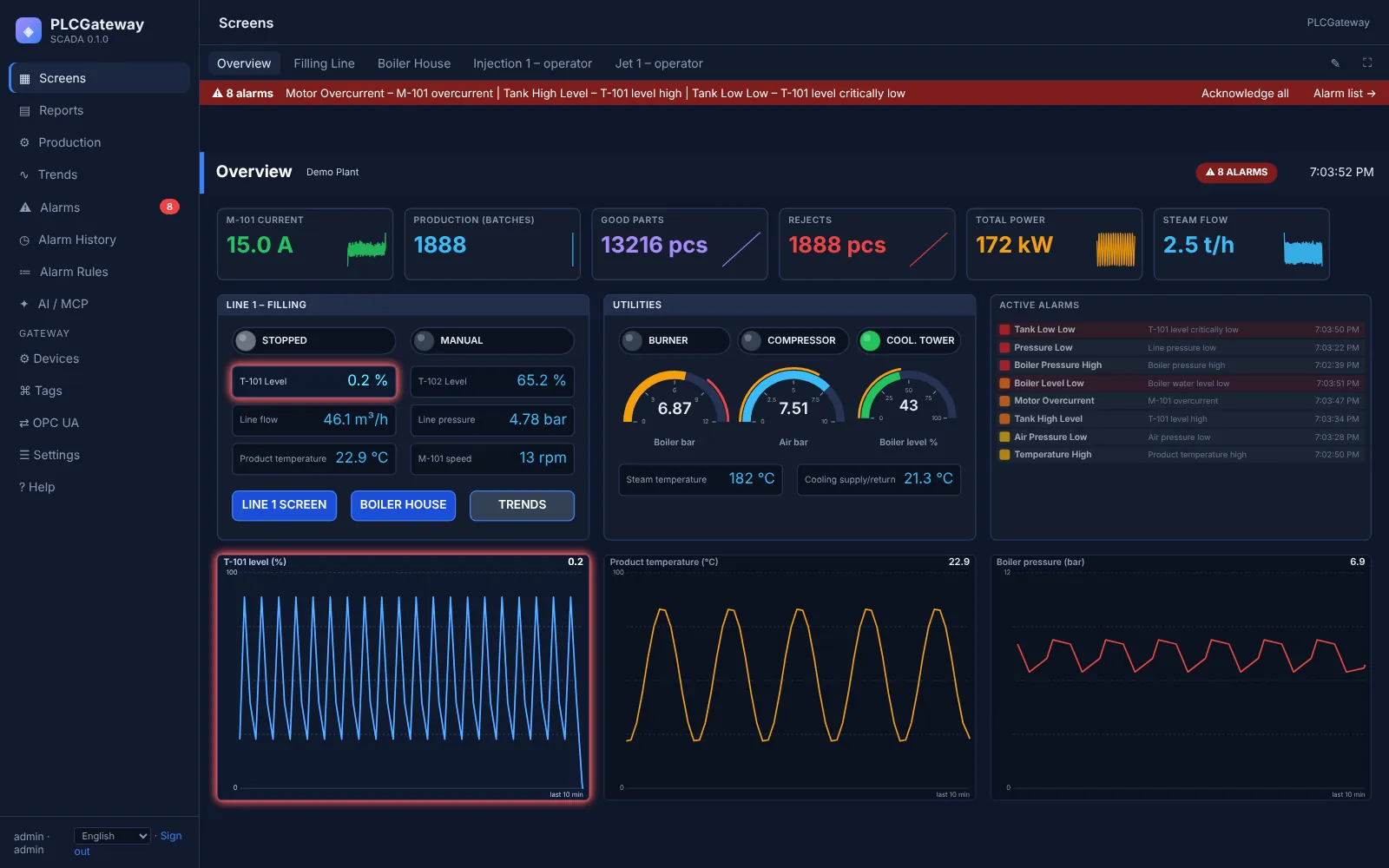
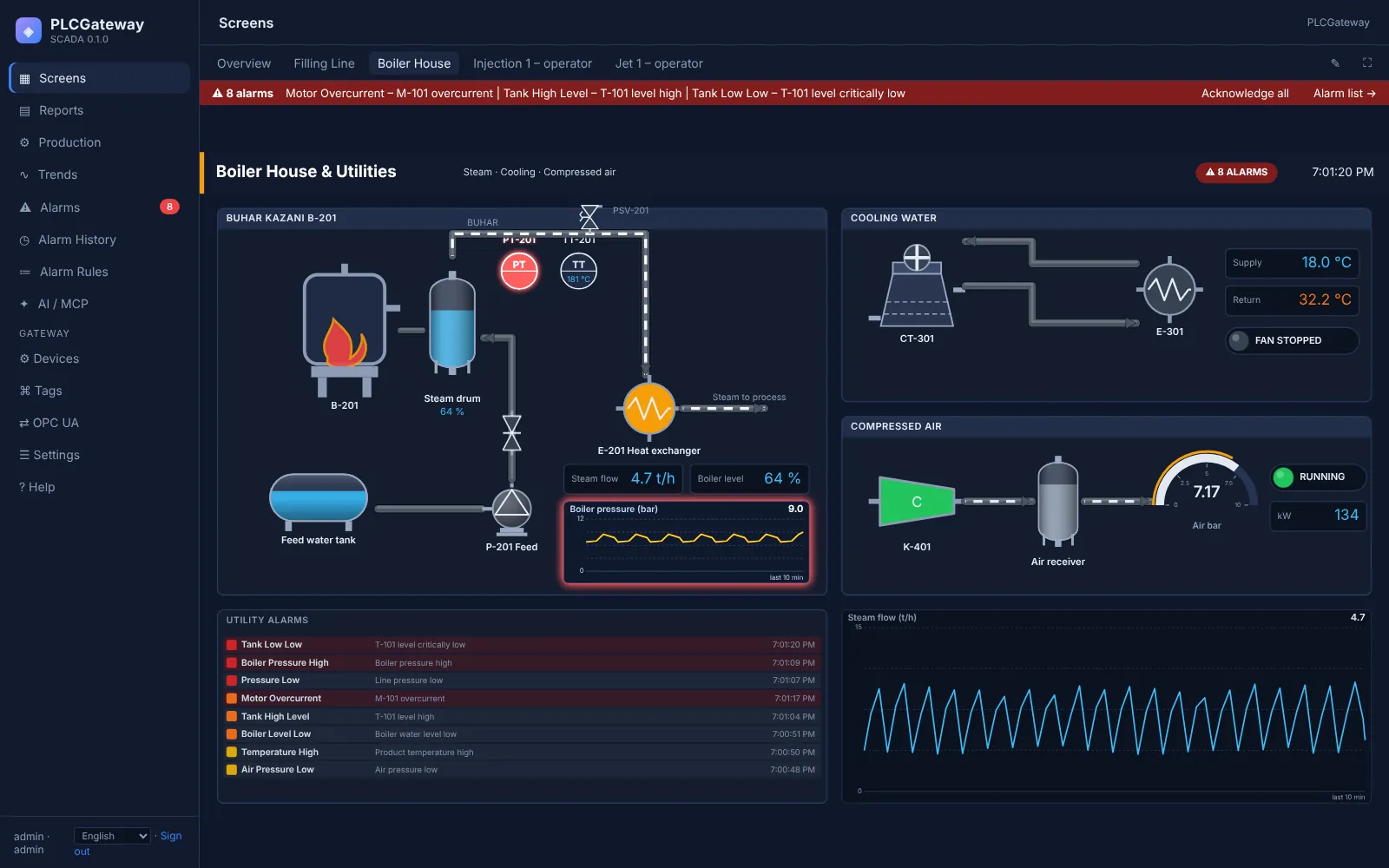
Process screens show tanks, pumps, valves, motors and lines with live values, states and animated flow. Operators start, stop and enter values with confirmation; managers watch the same screens without being able to change anything.
- Roles for administrators, operators and viewers
- Dark, light and high-performance HMI themes
- Kiosk mode for control room PCs and line displays
Operator screens for work orders and downtime
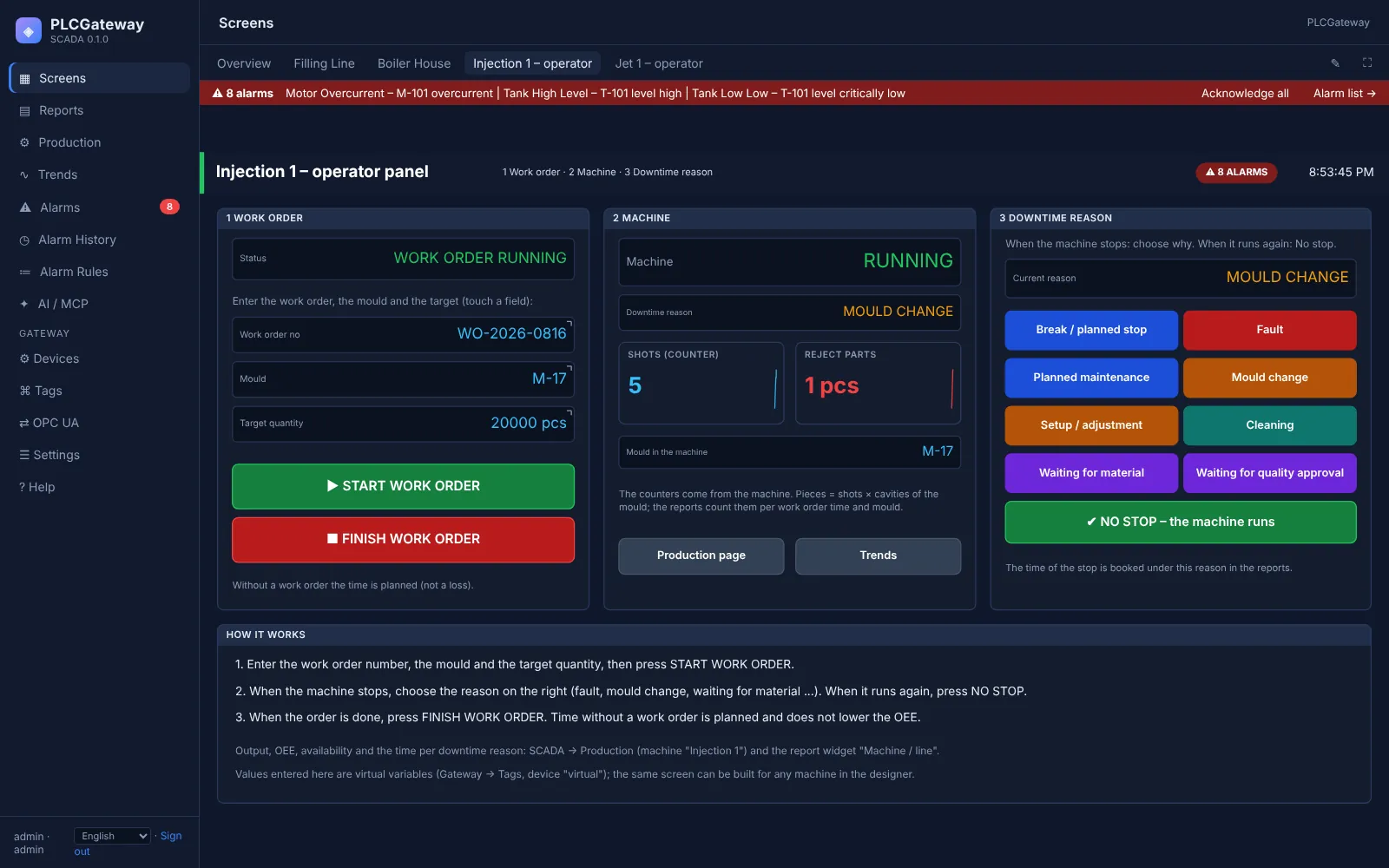
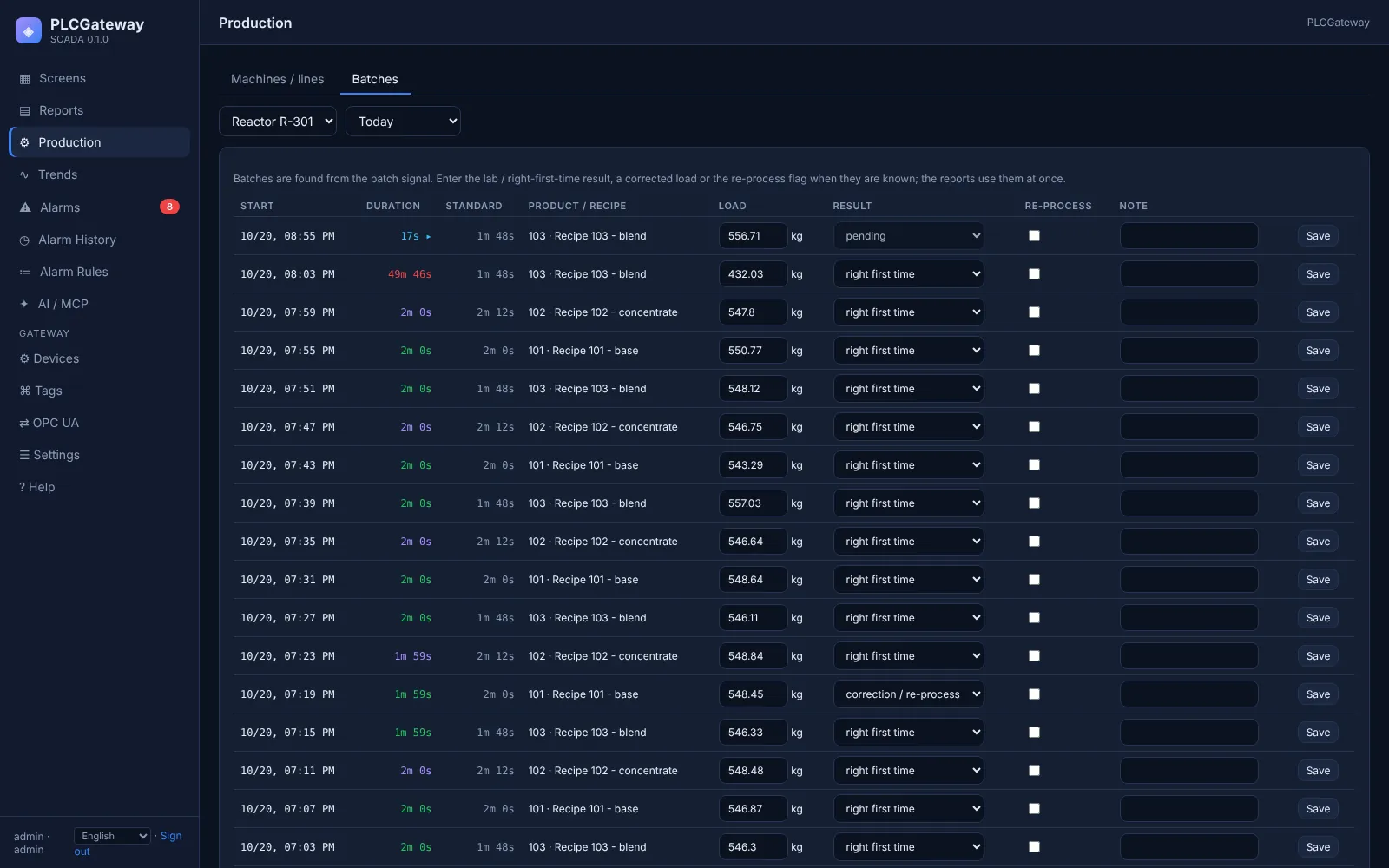
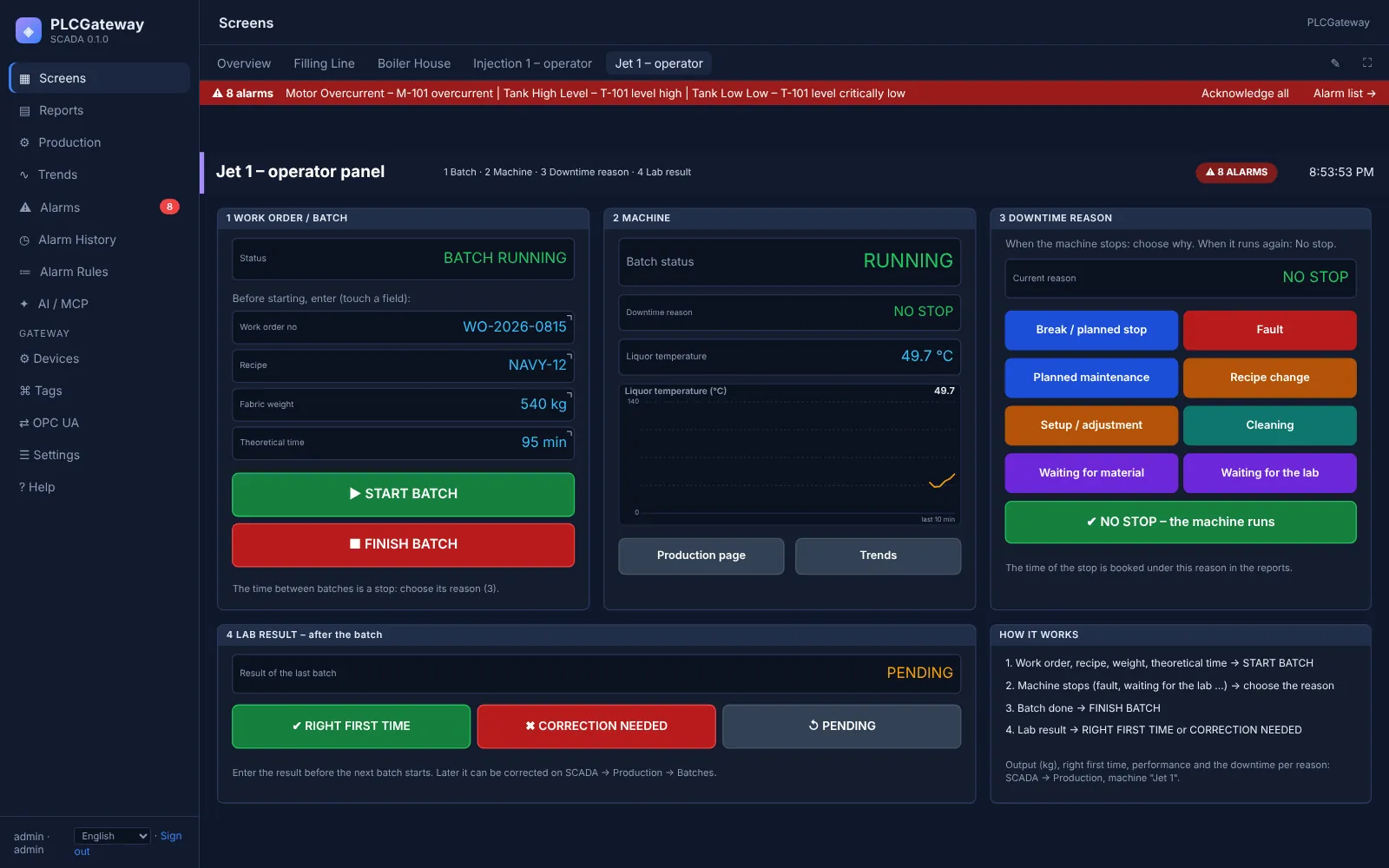
Operators start and finish work orders and batches, choose the downtime reason when a machine stops and enter lab results, right on the SCADA screen. Every entry feeds the OEE figures and reports immediately, so the reasons for lost time are known, not guessed.
- Downtime reasons: fault, changeover, setup, cleaning, waiting, planned stop
- Buttons that write several values at once and ask for confirmation
- Screens in the operator's language
Design screens without programming, or let AI draft them
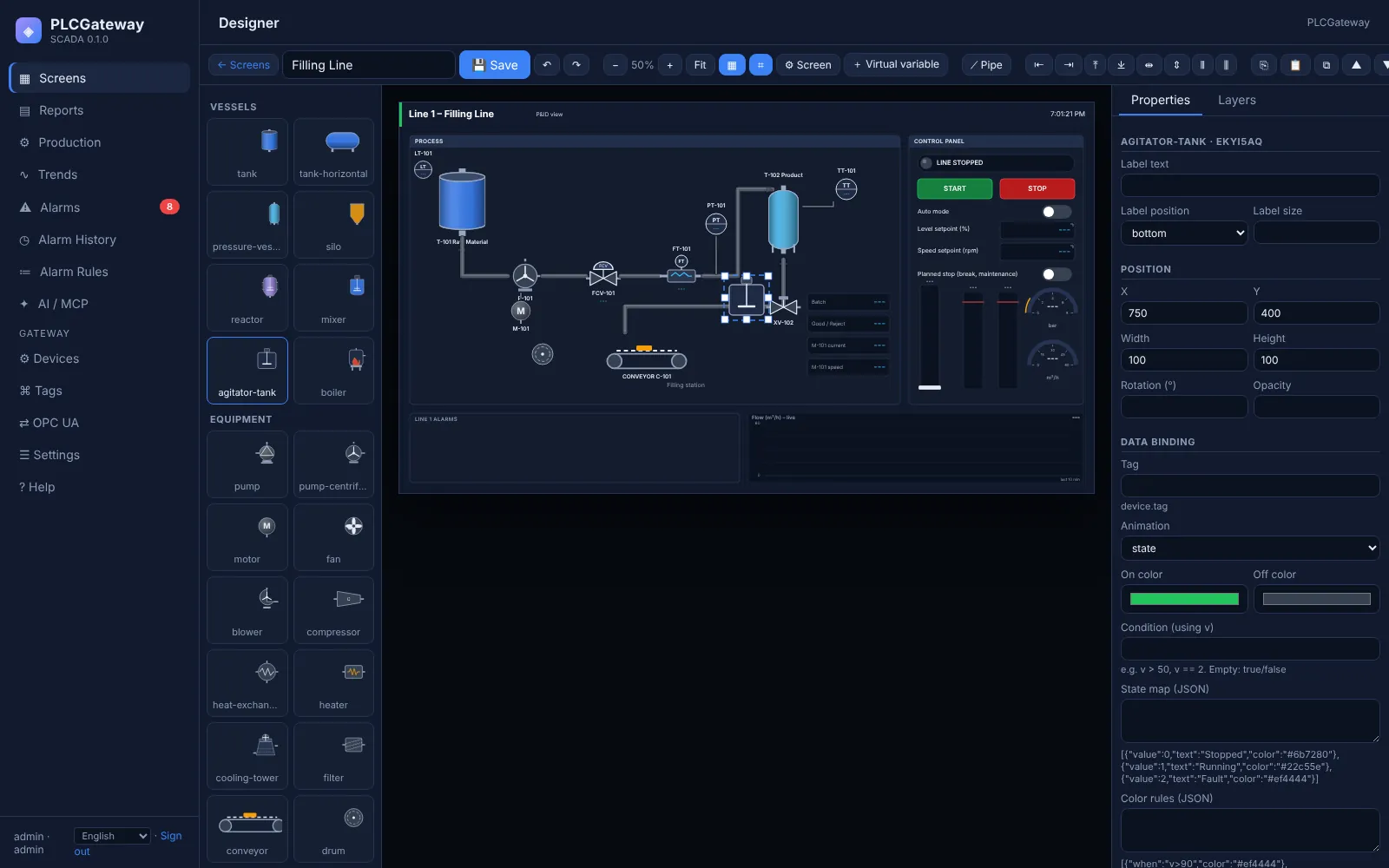
Engineers draw screens in the browser with a P&ID symbol library, pipelines, gauges, charts, buttons and tables, and bind them to live values. An AI assistant can prepare the first draft from a description, for engineers to finish and approve.
- ISA-5.1 / P&ID symbols and animated pipelines
- Gauges, charts, tables, switches, inputs and faceplates
- Copy, align, layers, undo and redo
Alarms and history
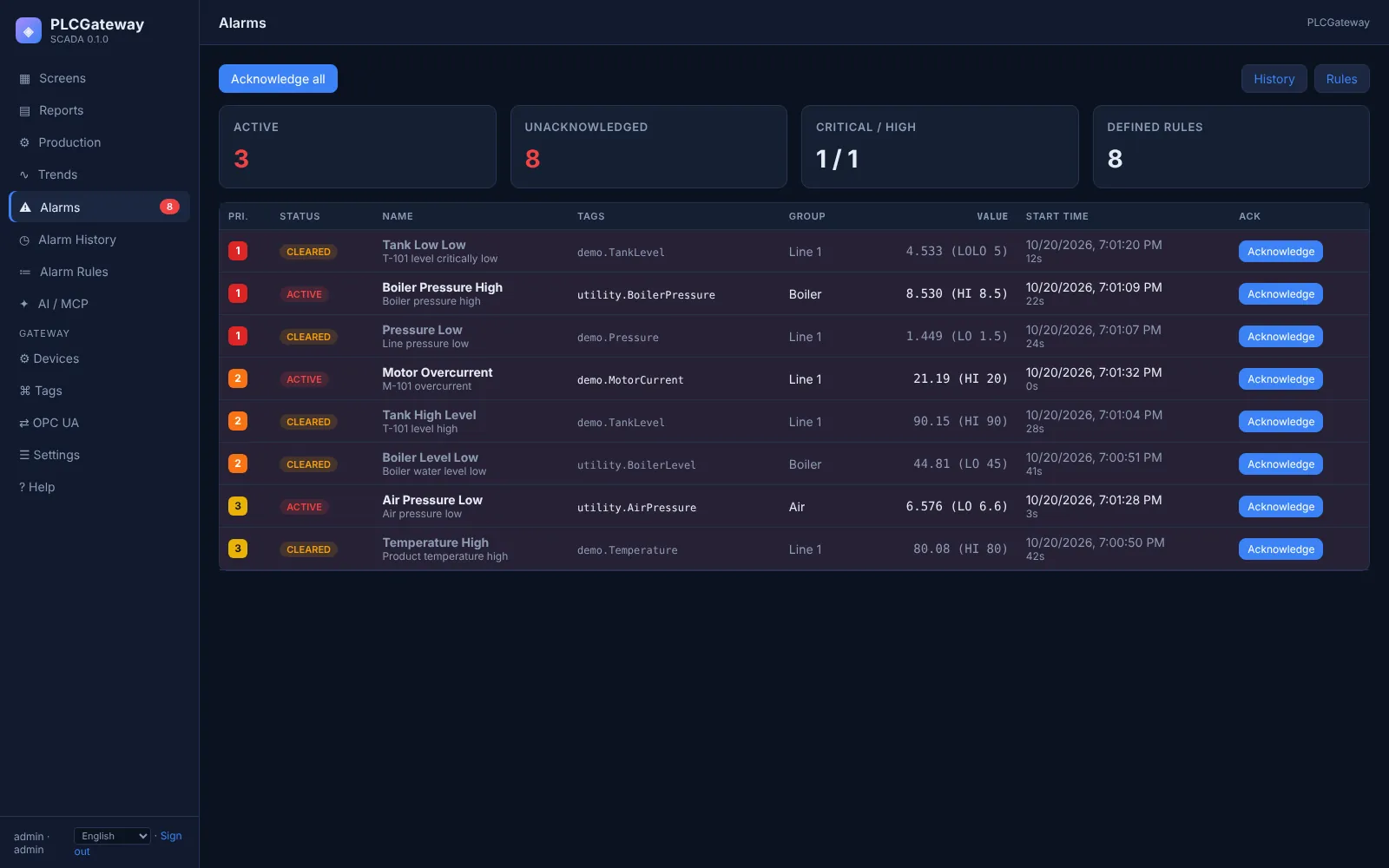
Alarms that matter
Limits, states and signal quality with delay, hysteresis, priority and grouping by line or area.
Acknowledgement and statistics
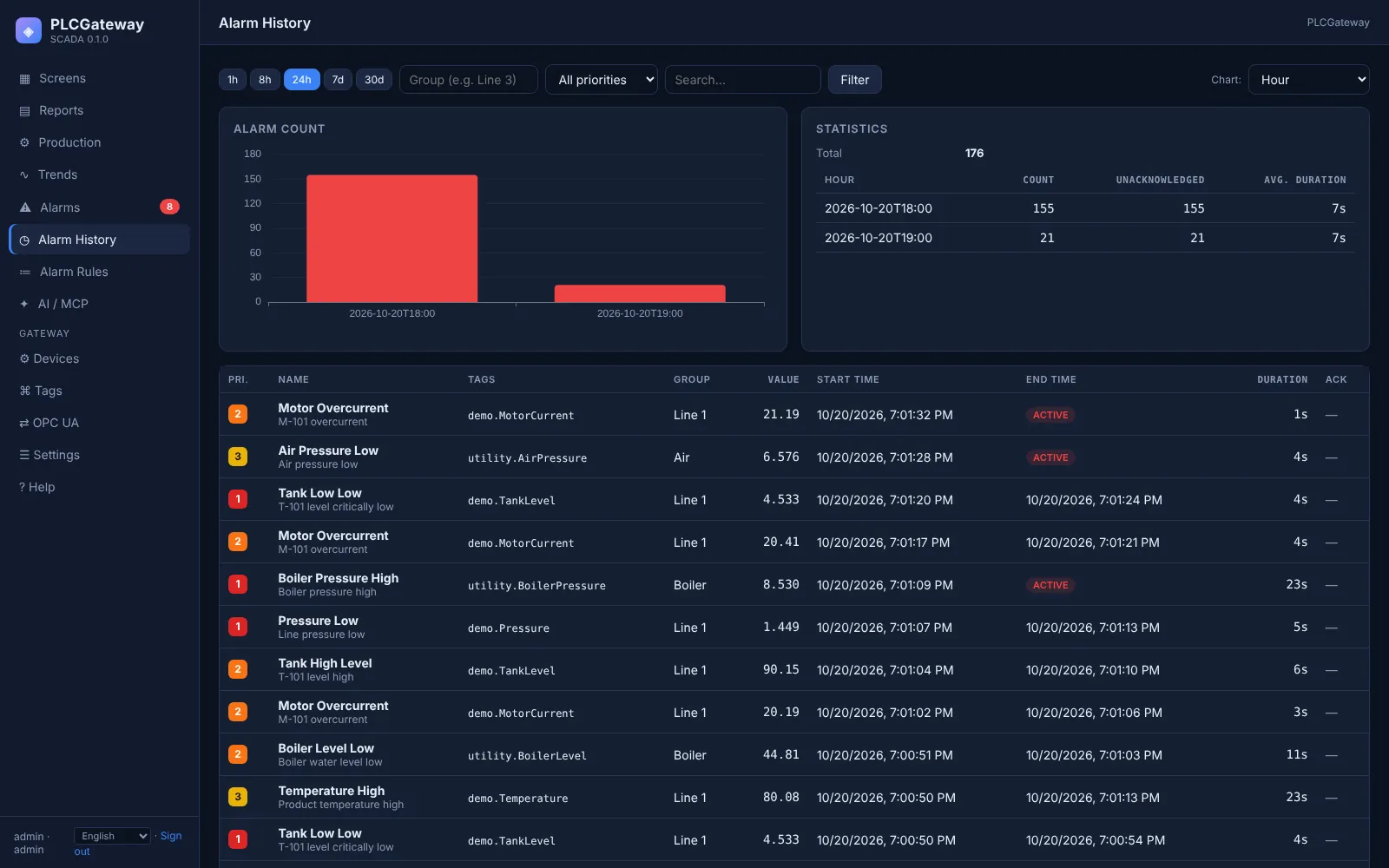
Active alarm list with acknowledgement, alarm history and statistics by group, priority, hour and day.
History
Values recorded with configurable resolution and retention.
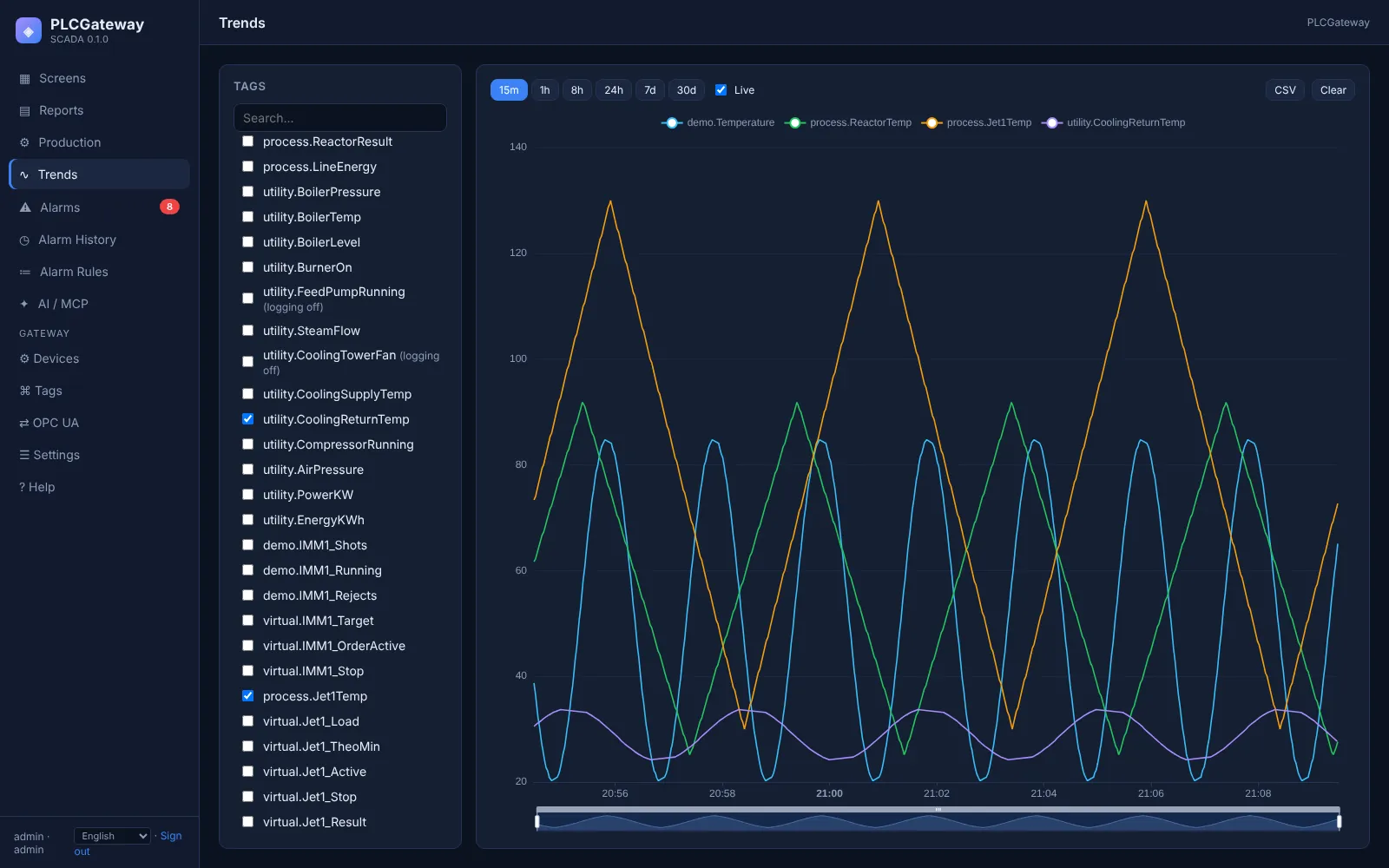
Trends
Several values on one time axis, live or historical, with zoom and export.
Reports that answer questions
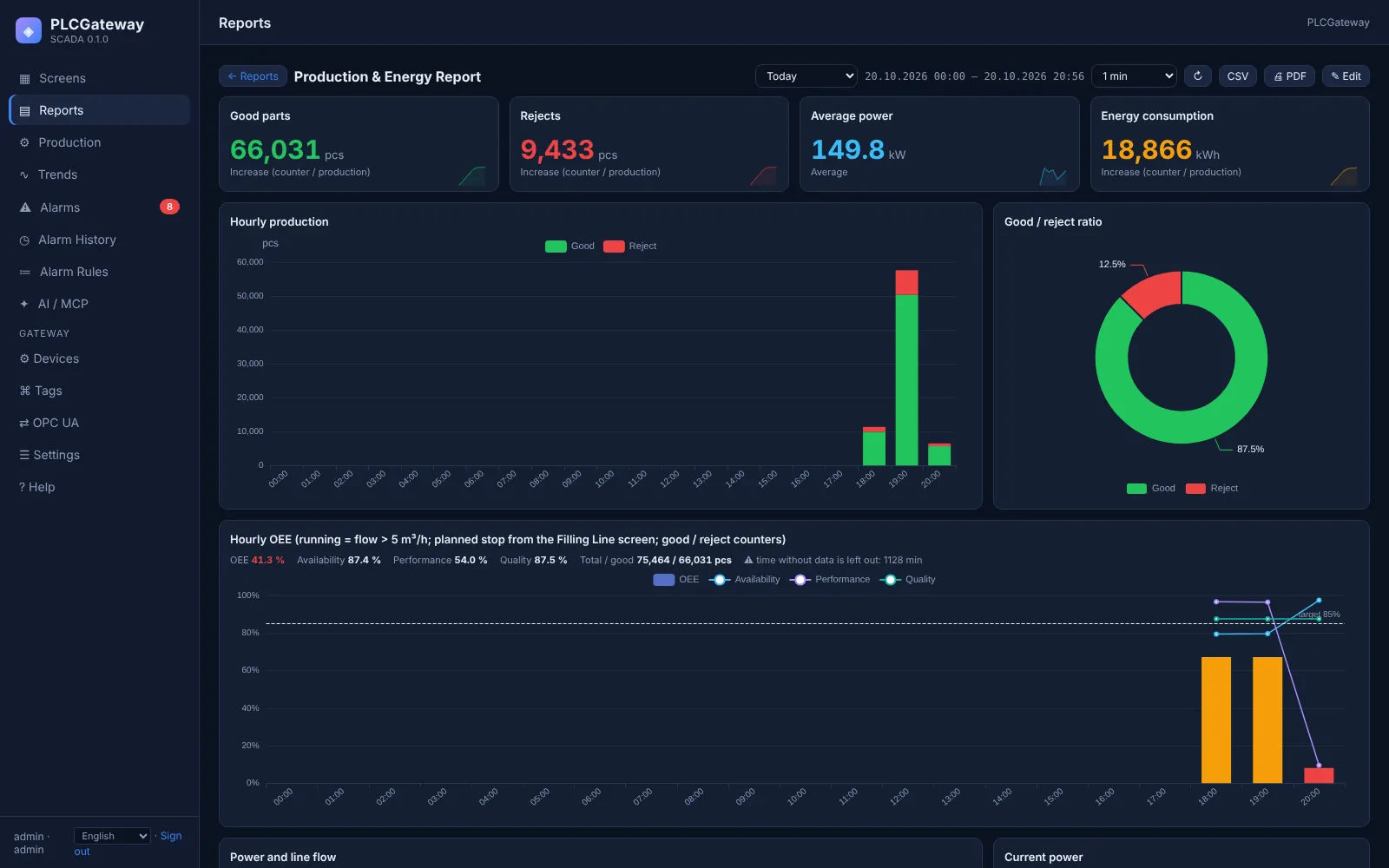
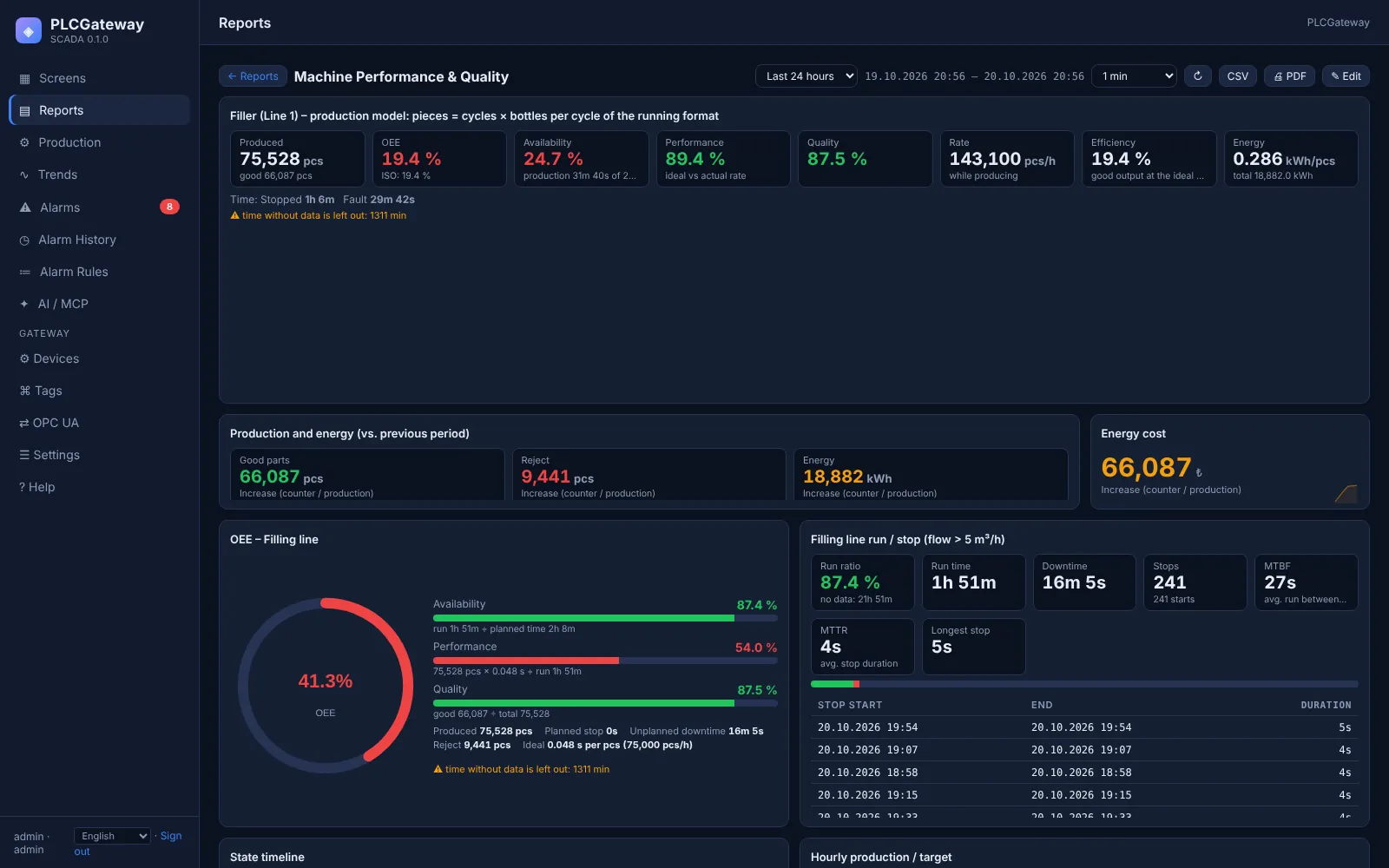
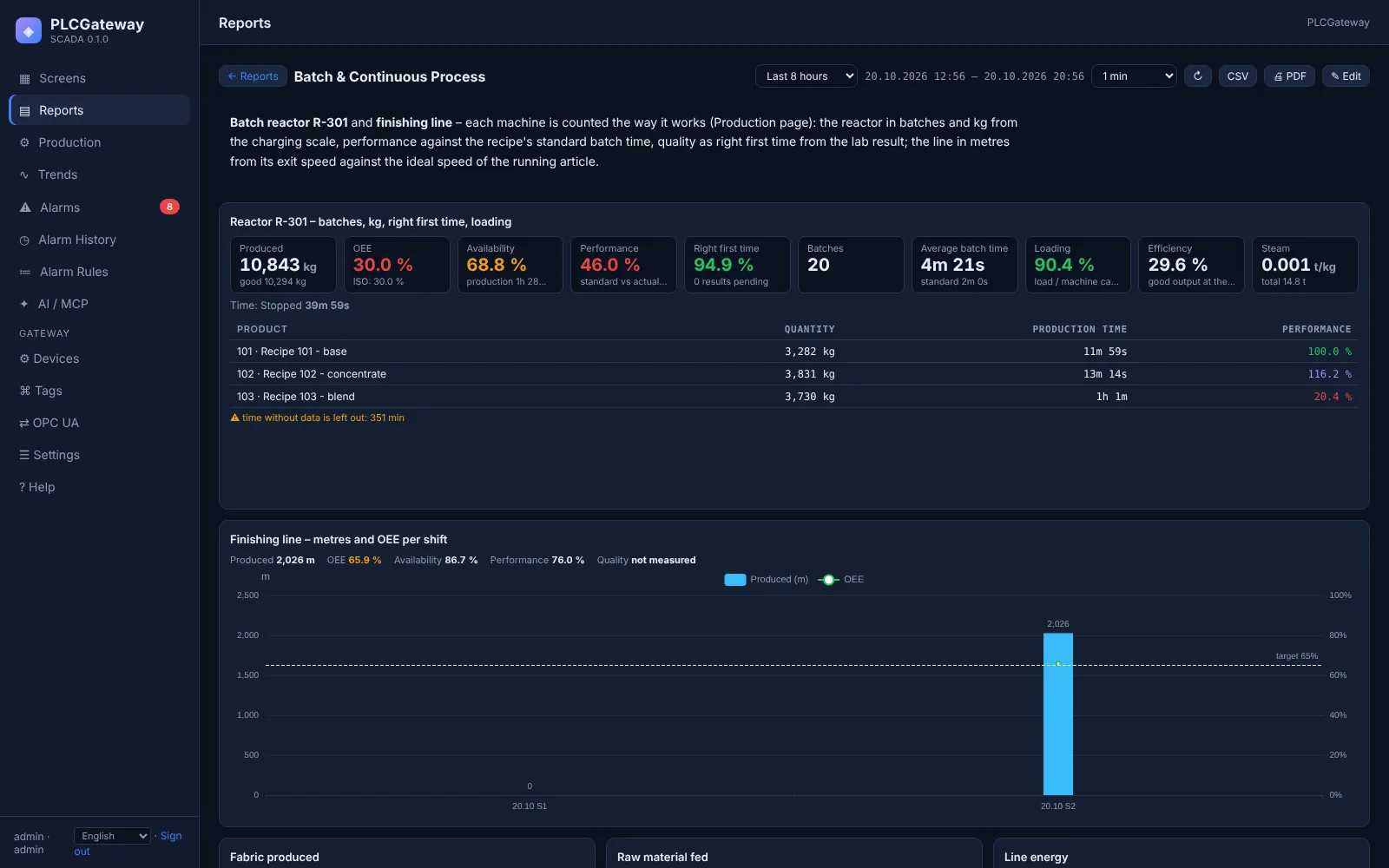
Report dashboards turn history into answers for shifts, days, weeks and months: production per period, consumption per unit, OEE, batches, alarm statistics and comparisons with the previous period. AI assistants can draft a dashboard or generate a report on request.
- Export to CSV, PNG and PDF
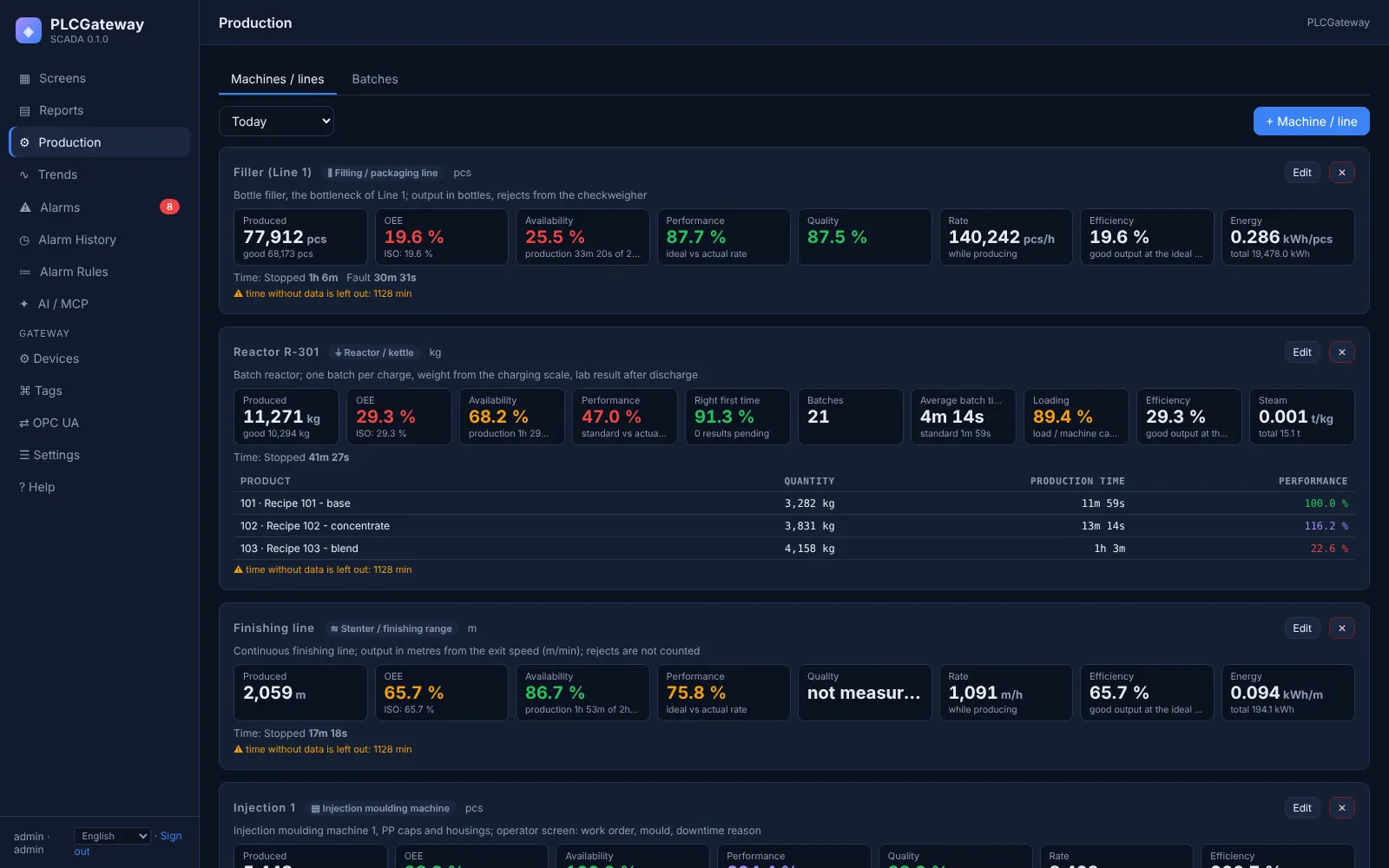
- Production and OEE per machine
- Energy and consumption per unit of output
Report screens
Production, OEE, batches and energy for shifts, days and months.
An AI colleague in the control room
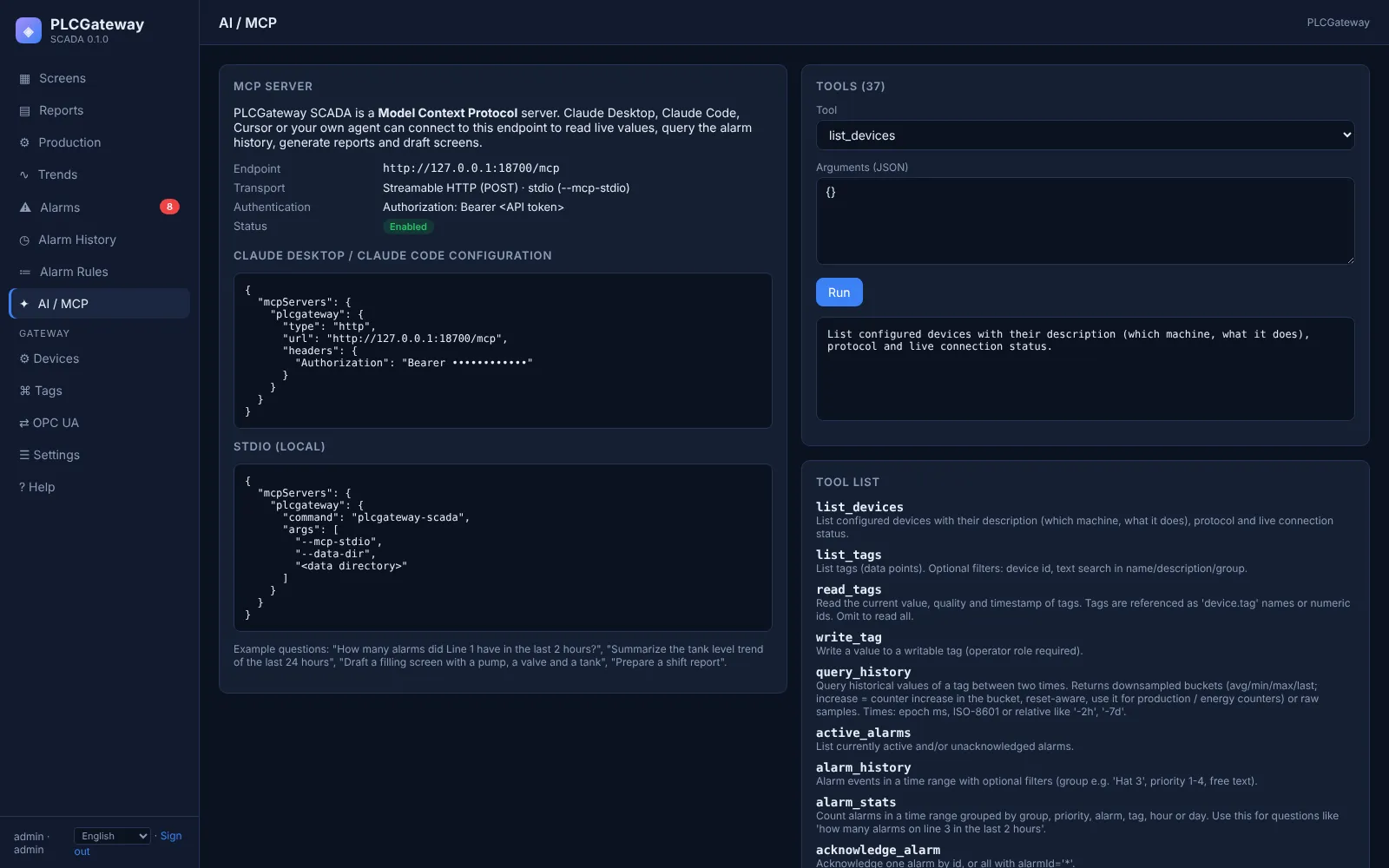
Over MCP, AI assistants read the same data as your team: values with their meaning and units, history, alarms, batches and OEE. They answer questions in plain language, compare shifts, find the most frequent alarms and prepare reports, always within the rights of the signed-in user.
SCADA screens
Process overviews, operator screens, trends and alarms of the demo plant.
See your process on these screens
We can build a first screen with your P&ID in the demo, together with an AI assistant.