FANUC FOCAS to MQTT
Read FANUC CNC controls over FOCAS Ethernet and publish status, spindle, alarm and program data to an MQTT broker as JSON – without Fwlib, a Windows PC or changes to the machine.
- FANUC FOCAS
focas- MQTT
FANUC controls speak FOCAS, a vendor protocol that brokers, IoT platforms and dashboards do not understand. PLCGateway sits in between: its FOCAS driver talks to the CNC on port 8193 with its own implementation of the protocol, and the built-in MQTT publisher sends each value on to the broker.
Because no Fwlib DLL is involved, the gateway runs on Windows, on Linux or on a small ARM device in the machine's cabinet. One installation reads many CNCs, each as its own device, so every machine gets its own branch of topics such as plcgateway/cnc1/…
- Source
- FANUC FOCAS
focas - Connection
- FOCAS Ethernet · TCP 8193
- Target
- MQTT
- Writing
- yes
Set it up in five steps
Enable the embedded Ethernet port of the CNC and FOCAS (port 8193) in the Ethernet settings of the control.
Add a FOCAS device with the IP address of the CNC.
Create the tags (status, positions, spindle, alarms, macros) or let an AI assistant create a standard machine set.
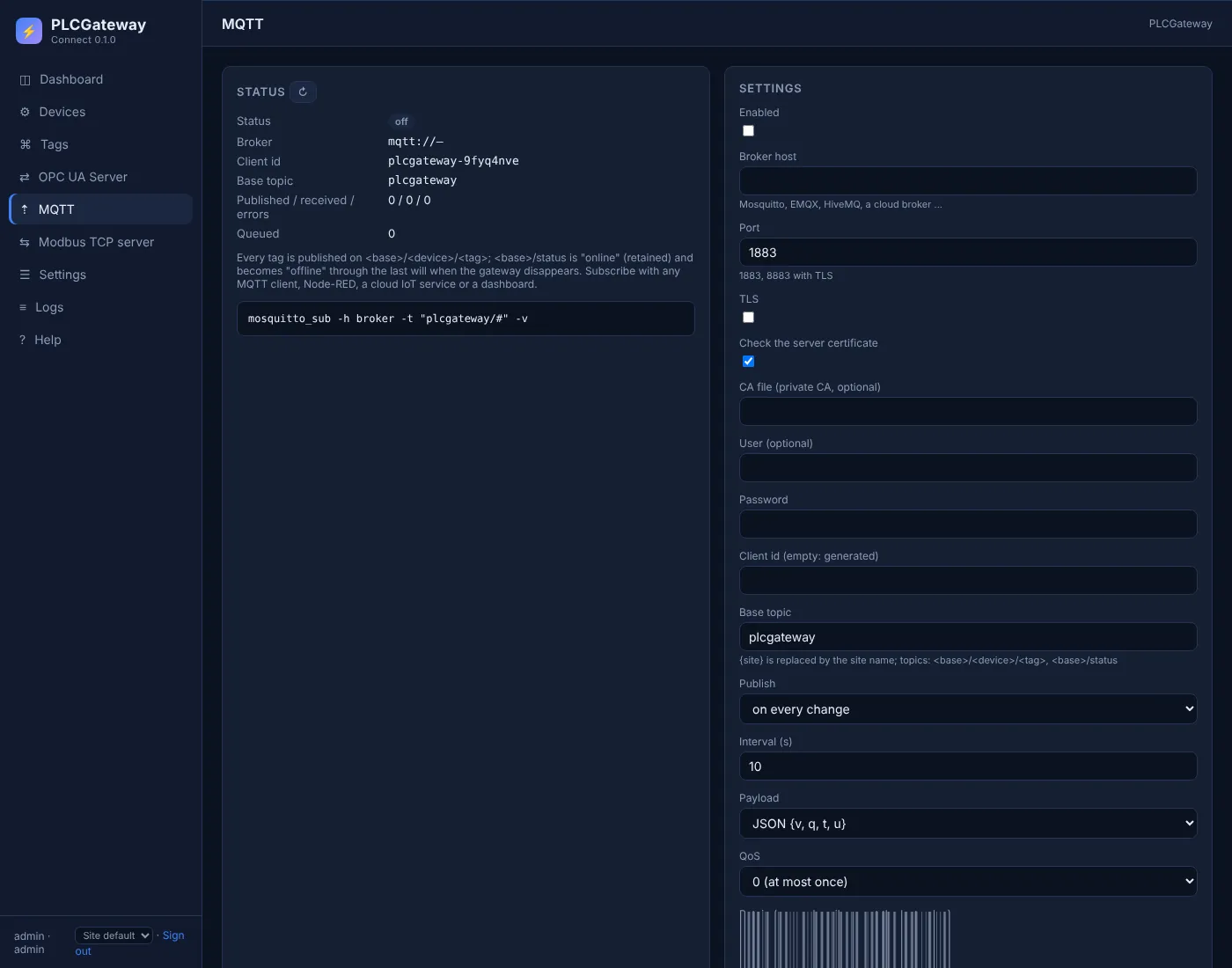
Open Gateway → MQTT, enter the broker address, port and login, switch on TLS if the broker requires it, and choose the base topic.
Choose publishing on change or at an interval and the JSON or plain-value format, then check the topics with mosquitto_sub or in your platform.
Example: topics and payloads
A device with the id cnc1 and these tags is published as shown below; the lines are what mosquitto_sub -v prints. Names and values are examples.
| Tag | Address | Example value |
|---|---|---|
Running | status.running | true |
SpindleSpeed | spindle.speed | 8000 rpm |
SpindleLoad | spindle.load | 42 % |
Program | prog.main | 1234 |
AlarmActive | alarm.has | false |
MQTT topics and payloads
plcgateway/status online
plcgateway/cnc1/Running {"q":"GOOD","t":1794465246839,"v":true}
plcgateway/cnc1/SpindleSpeed {"q":"GOOD","t":1794465246839,"u":"rpm","v":8000}
plcgateway/cnc1/SpindleLoad {"q":"GOOD","t":1794465246839,"u":"%","v":42}
plcgateway/cnc1/Program {"q":"GOOD","t":1794465246839,"v":1234}
plcgateway/cnc1/AlarmActive {"q":"GOOD","t":1794465246839,"v":false}
Topic: base topic / device id / tag name. The JSON payload carries the value (v), the quality (q), the timestamp in milliseconds (t) and the unit (u).
The MQTT publisher in PLCGateway
PLCGateway publishes every tag to your MQTT broker – Mosquitto, EMQX, HiveMQ, AWS IoT Core or a cloud platform behind a bridge – so IT systems subscribe to topics instead of polling the controller. It speaks MQTT 3.1.1 over TCP or TLS, with user name and password.
Values are sent when they change or at a fixed interval, as JSON with quality and timestamp or as the bare value. A retained status topic with a last will tells subscribers whether the gateway is online.
- One topic per tag: base topic / device / tag, with a base topic of your choice
- QoS 0 or 1, retained messages, birth message and last will
- Optional writing: a value published to the tag's /set topic is written to the controller
- Messages are queued while the broker is unreachable and sent after the reconnect
Controllers and devices
Equipment that is typically connected with this driver.
Questions and answers
Do I need FANUC's Fwlib library on the computer?
No. PLCGateway implements the FOCAS Ethernet protocol itself. The CNC only needs its Ethernet port with FOCAS enabled on port 8193.
Which values can be published?
Everything the driver reads: run state, mode, emergency stop, alarms, axis positions, spindle speed and load, feed, program and sequence numbers, macro variables, parameters, diagnosis values and PMC signals.
Can an MQTT message write to the CNC?
Only macro variables are writable. With writing enabled in the MQTT settings, a value published to the tag's /set topic is written to the macro variable, for example a work order number. Everything else is read only.
Connect your machines
Tell us which controllers you run; we show you PLCGateway with your own addresses.
Product and model names are trademarks of their owners. They are named only to show which equipment the drivers communicate with; PLCGateway is not affiliated with these companies.