MTConnect delivers machine data as XML documents that a client has to request and parse. Brokers and IoT platforms work the other way round: they expect small messages pushed to topics. PLCGateway requests the current document of the agent cyclically, extracts the data items you selected and publishes each one when it changes.
The data items are browsed from the agent's probe document and added as tags, so no XML handling or mapping file is needed. Samples arrive as numbers, events as text or BOOL, and conditions as Normal, Warning or Fault.
Set it up in five steps
Make sure the machine's MTConnect agent is reachable (for example http://machine:5000).
Add an MTConnect device with the agent URL and, if needed, the device name.
Browse the data items and add the ones you need as tags.
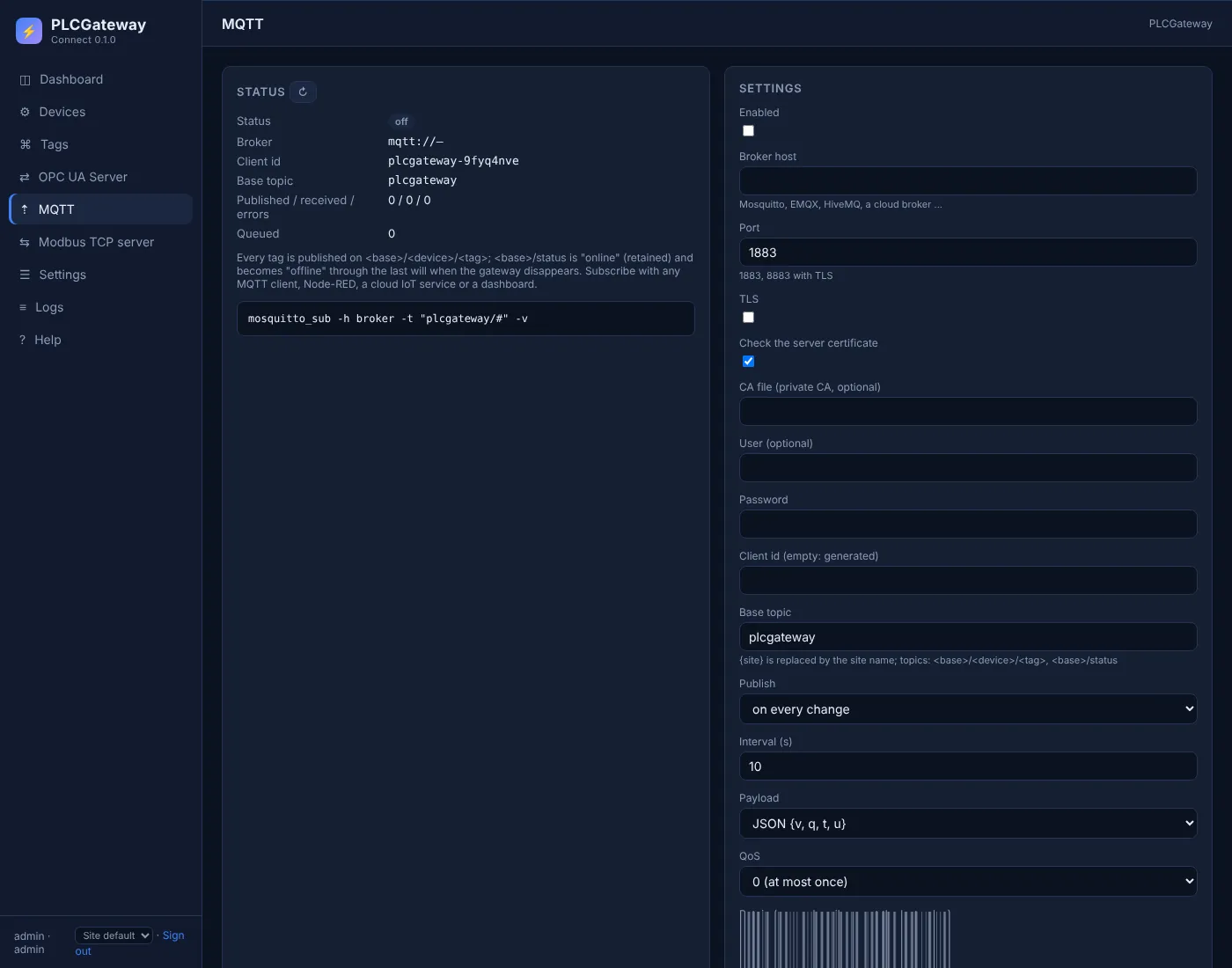
Open Gateway → MQTT, enter the broker address, port and login, switch on TLS if the broker requires it, and choose the base topic.
Choose publishing on change or at an interval and the JSON or plain-value format, then check the topics with mosquitto_sub or in your platform.
Example: topics and payloads
A device with the id mazak1 and these tags is published as shown below; the lines are what mosquitto_sub -v prints. Names and values are examples.
| Tag | Address | Example value |
|---|---|---|
Availability | avail | AVAILABLE |
Execution | execution | ACTIVE |
PartCount | PartCountAct | 128 |
XPosition | Xact | 124.375 mm |
MQTT topics and payloads
plcgateway/status online
plcgateway/mazak1/Availability {"q":"GOOD","t":1794465246839,"v":"AVAILABLE"}
plcgateway/mazak1/Execution {"q":"GOOD","t":1794465246839,"v":"ACTIVE"}
plcgateway/mazak1/PartCount {"q":"GOOD","t":1794465246839,"v":128}
plcgateway/mazak1/XPosition {"q":"GOOD","t":1794465246839,"u":"mm","v":124.375}
Topic: base topic / device id / tag name. The JSON payload carries the value (v), the quality (q), the timestamp in milliseconds (t) and the unit (u).
The MQTT publisher in PLCGateway
PLCGateway publishes every tag to your MQTT broker – Mosquitto, EMQX, HiveMQ, AWS IoT Core or a cloud platform behind a bridge – so IT systems subscribe to topics instead of polling the controller. It speaks MQTT 3.1.1 over TCP or TLS, with user name and password.
Values are sent when they change or at a fixed interval, as JSON with quality and timestamp or as the bare value. A retained status topic with a last will tells subscribers whether the gateway is online.
- One topic per tag: base topic / device / tag, with a base topic of your choice
- QoS 0 or 1, retained messages, birth message and last will
- Optional writing: a value published to the tag's /set topic is written to the controller
- Messages are queued while the broker is unreachable and sent after the reconnect
Controllers and devices
Equipment that is typically connected with this driver.
Questions and answers
Which machines does this cover?
Any machine with an MTConnect agent, for example Mazak, Okuma, DMG MORI, Hurco and Haas NGC, and controls behind an MTConnect adapter.
What happens when a value is UNAVAILABLE?
The tag keeps its topic and the quality in the payload changes to UNCERTAIN, so subscribers can tell a missing value from a real one.
Can MQTT messages control the machine?
No. MTConnect is a read-only standard, so there is nothing to write. For writing, use the controller's own interface, such as FOCAS macro variables or Haas Q commands.
Connect your machines
Tell us which controllers you run; we show you PLCGateway with your own addresses.
Product and model names are trademarks of their owners. They are named only to show which equipment the drivers communicate with; PLCGateway is not affiliated with these companies.