Omron FINS to OPC UA
PLCGateway reads Omron controllers with FINS and serves their memory areas from an OPC UA server – the direct way to bring CJ, CS and CP series PLCs into OPC UA.
- Omron FINS
fins_udpfins_tcp- OPC UA
CJ, CS and CP series controllers have no OPC UA server, yet they run a large share of the machines in the field. PLCGateway reads them with FINS/UDP or FINS/TCP and turns DM words, CIO bits, timers and counters into OPC UA variables with names, data types and units.
For NJ and NX controllers the choice is yours: FINS for variables with AT addresses, or their built-in OPC UA server through PLCGateway's OPC UA client. Either way all Omron controllers appear under one endpoint.
- Source
- Omron FINS
fins_udpfins_tcp - Connection
- FINS/UDP · FINS/TCP · port 9600
- Target
- OPC UA
- Writing
- yes
Set it up in five steps
Give the controller (or its Ethernet unit) an IP address and FINS node number in CX-Programmer or Sysmac Studio.
Add a FINS/UDP or FINS/TCP device with the IP address; for NJ/NX map the variables to read to a memory area with an AT address.
Create the tags or import them from CSV and test the connection.
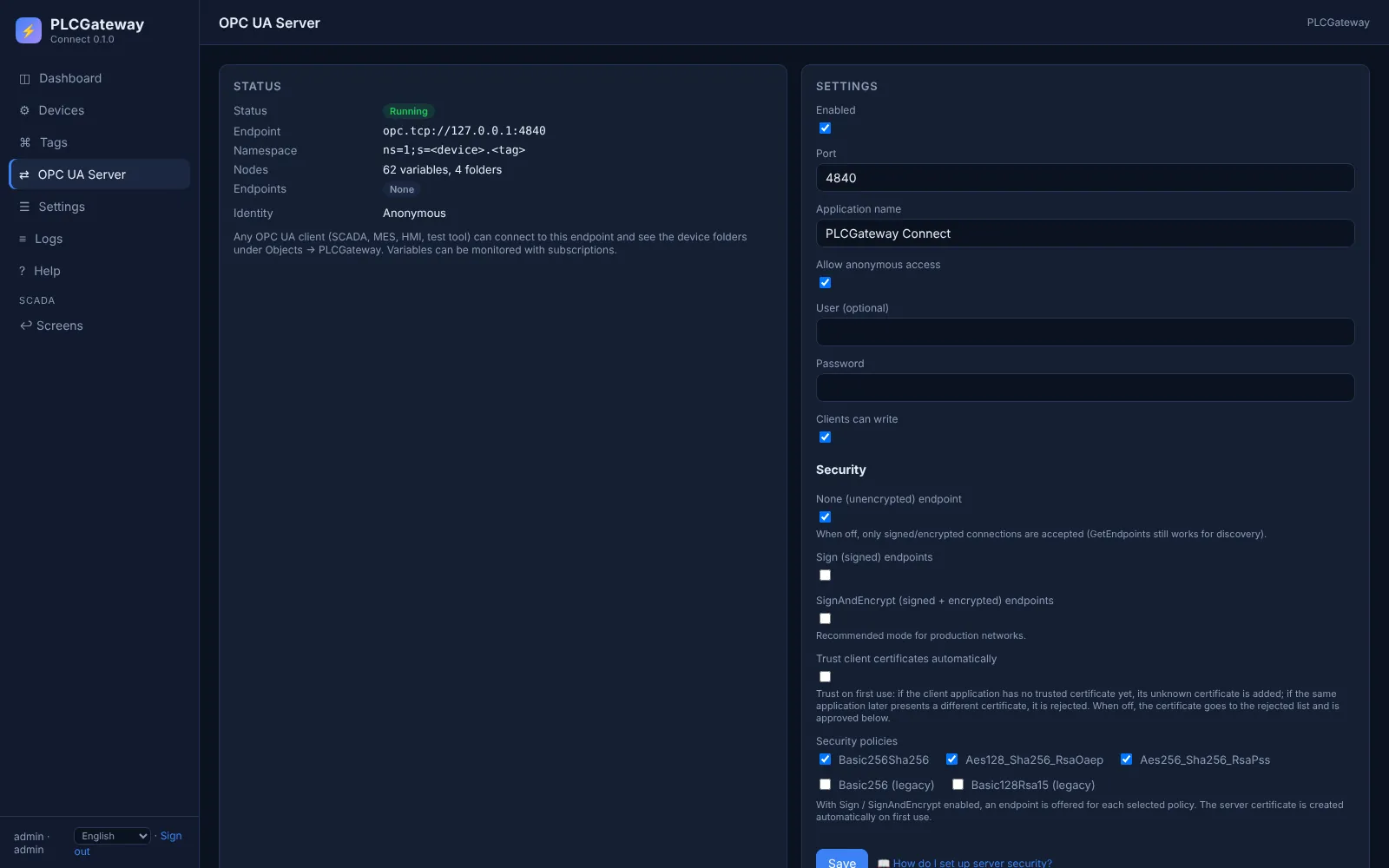
Open Gateway → OPC UA and choose the security modes and whether clients sign in anonymously or with user name and password.
Connect your OPC UA client (UaExpert, an MES, a SCADA) to opc.tcp://<gateway>:4840 and browse Objects → PLCGateway.
Example: node ids in the OPC UA server
A device with the id packer1 and these tags appears in the address space as shown below. Names and values are examples.
| Tag | Address | Example value |
|---|---|---|
Speed | D102 | 64 1/min |
Ready | D100.5 | true |
HopperLevel | H5 | 73 % |
OPC UA node ids
opc.tcp://<gateway>:4840
Objects / PLCGateway / packer1
ns=1;s=packer1.Speed        = 64
ns=1;s=packer1.Ready        = true
ns=1;s=packer1.HopperLevel  = 73
Every tag is a variable under Objects / PLCGateway / device in namespace 1; clients read it, write it and subscribe to its changes.
The OPC UA server in PLCGateway
Every tag becomes a variable in PLCGateway's built-in OPC UA server, so MES, ERP, SCADA and historians use one standard endpoint instead of each controller's own protocol. Clients browse the devices and tags, read, write and subscribe to value changes.
The server offers the security modes None, Sign and SignAndEncrypt with automatically generated certificates; clients sign in anonymously or with user name and password.
- One endpoint (opc.tcp, port 4840) for all devices and protocols
- A folder per device and a variable per tag, with description and unit
- Subscriptions with data-change notifications; writing only where the tag allows it
- Client certificates are approved in the web interface
Controllers and devices
Equipment that is typically connected with this driver.
Questions and answers
Is a separate Omron OPC server product needed?
No. PLCGateway talks FINS to the controller directly and is itself the OPC UA server.
Which memory areas can be read?
CIO, work (W), holding (H), auxiliary (A), data memory (D) and extended memory (E), as well as timer and counter values and their completion flags.
How do I know the right PLC answered?
On connect PLCGateway reads the controller data with the model, so a wrong IP address or node number shows up at once.
Connect your machines
Tell us which controllers you run; we show you PLCGateway with your own addresses.
Product and model names are trademarks of their owners. They are named only to show which equipment the drivers communicate with; PLCGateway is not affiliated with these companies.