Omron FINS to MQTT
PLCGateway reads Omron CJ, CS, CP, NJ and NX controllers with FINS over Ethernet and publishes DM, CIO, work and holding areas to your MQTT broker.
- Omron FINS
fins_udpfins_tcp- MQTT
FINS is built into Omron controllers and their Ethernet units, so reading them needs no change to the program. PLCGateway connects with FINS/UDP or FINS/TCP on port 9600, reads the memory areas you list and publishes every tag as an MQTT topic.
Consecutive words are merged into single read requests, 32-bit values use Omron's word order, and BCD values are converted. Subscribers receive plain numbers with a quality and a timestamp.
- Source
- Omron FINS
fins_udpfins_tcp - Connection
- FINS/UDP · FINS/TCP · port 9600
- Target
- MQTT
- Writing
- yes
Set it up in five steps
Give the controller (or its Ethernet unit) an IP address and FINS node number in CX-Programmer or Sysmac Studio.
Add a FINS/UDP or FINS/TCP device with the IP address; for NJ/NX map the variables to read to a memory area with an AT address.
Create the tags or import them from CSV and test the connection.
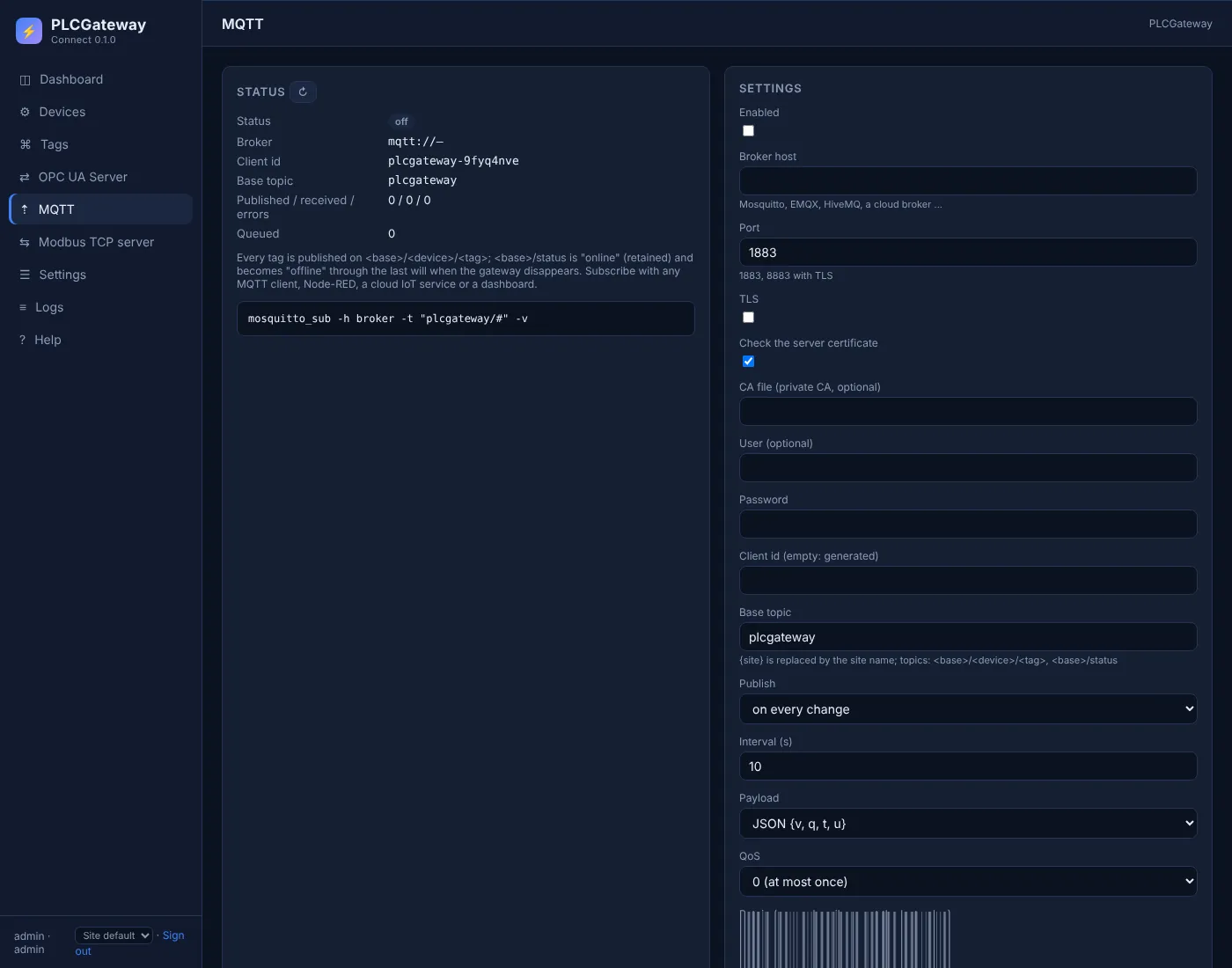
Open Gateway → MQTT, enter the broker address, port and login, switch on TLS if the broker requires it, and choose the base topic.
Choose publishing on change or at an interval and the JSON or plain-value format, then check the topics with mosquitto_sub or in your platform.
Example: topics and payloads
A device with the id packer1 and these tags is published as shown below; the lines are what mosquitto_sub -v prints. Names and values are examples.
| Tag | Address | Example value |
|---|---|---|
Speed | D102 | 64 1/min |
Ready | D100.5 | true |
HopperLevel | H5 | 73 % |
MQTT topics and payloads
plcgateway/status online
plcgateway/packer1/Speed {"q":"GOOD","t":1794465246839,"u":"1/min","v":64}
plcgateway/packer1/Ready {"q":"GOOD","t":1794465246839,"v":true}
plcgateway/packer1/HopperLevel {"q":"GOOD","t":1794465246839,"u":"%","v":73}
Topic: base topic / device id / tag name. The JSON payload carries the value (v), the quality (q), the timestamp in milliseconds (t) and the unit (u).
The MQTT publisher in PLCGateway
PLCGateway publishes every tag to your MQTT broker – Mosquitto, EMQX, HiveMQ, AWS IoT Core or a cloud platform behind a bridge – so IT systems subscribe to topics instead of polling the controller. It speaks MQTT 3.1.1 over TCP or TLS, with user name and password.
Values are sent when they change or at a fixed interval, as JSON with quality and timestamp or as the bare value. A retained status topic with a last will tells subscribers whether the gateway is online.
- One topic per tag: base topic / device / tag, with a base topic of your choice
- QoS 0 or 1, retained messages, birth message and last will
- Optional writing: a value published to the tag's /set topic is written to the controller
- Messages are queued while the broker is unreachable and sent after the reconnect
Controllers and devices
Equipment that is typically connected with this driver.
Questions and answers
Does it work with NJ and NX controllers?
Yes, for variables that have an AT address in a memory area such as D or CIO. Controllers with an OPC UA server can be read through PLCGateway's OPC UA client instead.
FINS/UDP or FINS/TCP?
Both work. FINS/TCP obtains the node address automatically in the handshake; FINS/UDP needs the node numbers but is the classic choice in a machine network.
Can values be written from MQTT?
Yes. When writing is enabled in the MQTT settings, a value sent to the tag's /set topic is written to the PLC memory.
Connect your machines
Tell us which controllers you run; we show you PLCGateway with your own addresses.
Product and model names are trademarks of their owners. They are named only to show which equipment the drivers communicate with; PLCGateway is not affiliated with these companies.