OPC DA to OPC UA
PLCGateway connects to OPC DA (OPC Classic) servers on Windows and serves their items from a modern OPC UA server, so clients no longer need DCOM.
- OPC DA client (OPC Classic)
opcda_client- OPC UA
OPC DA depends on COM and DCOM, which makes connections across computers, firewalls and Windows versions fragile, yet many plants still rely on a DA server for older PLCs. PLCGateway runs on the same Windows computer, reads the DA server locally and offers the items over OPC UA, so every other system uses one firewall-friendly TCP port.
Servers are found with the discovery button, the item tree is browsed and items are added as tags. From there the values are also available over MQTT and the REST API, and step by step the DA server can be replaced by PLCGateway's native drivers.
- Source
- OPC DA client (OPC Classic)
opcda_client - Connection
- COM / DCOM · Windows
- Target
- OPC UA
- Writing
- yes
Set it up in five steps
Install PLCGateway on Windows on the same computer as the OPC DA server, or configure DCOM for a remote server.
Add an OPC DA device and use server discovery to select the ProgID.
Browse the item tree and add the items as tags.
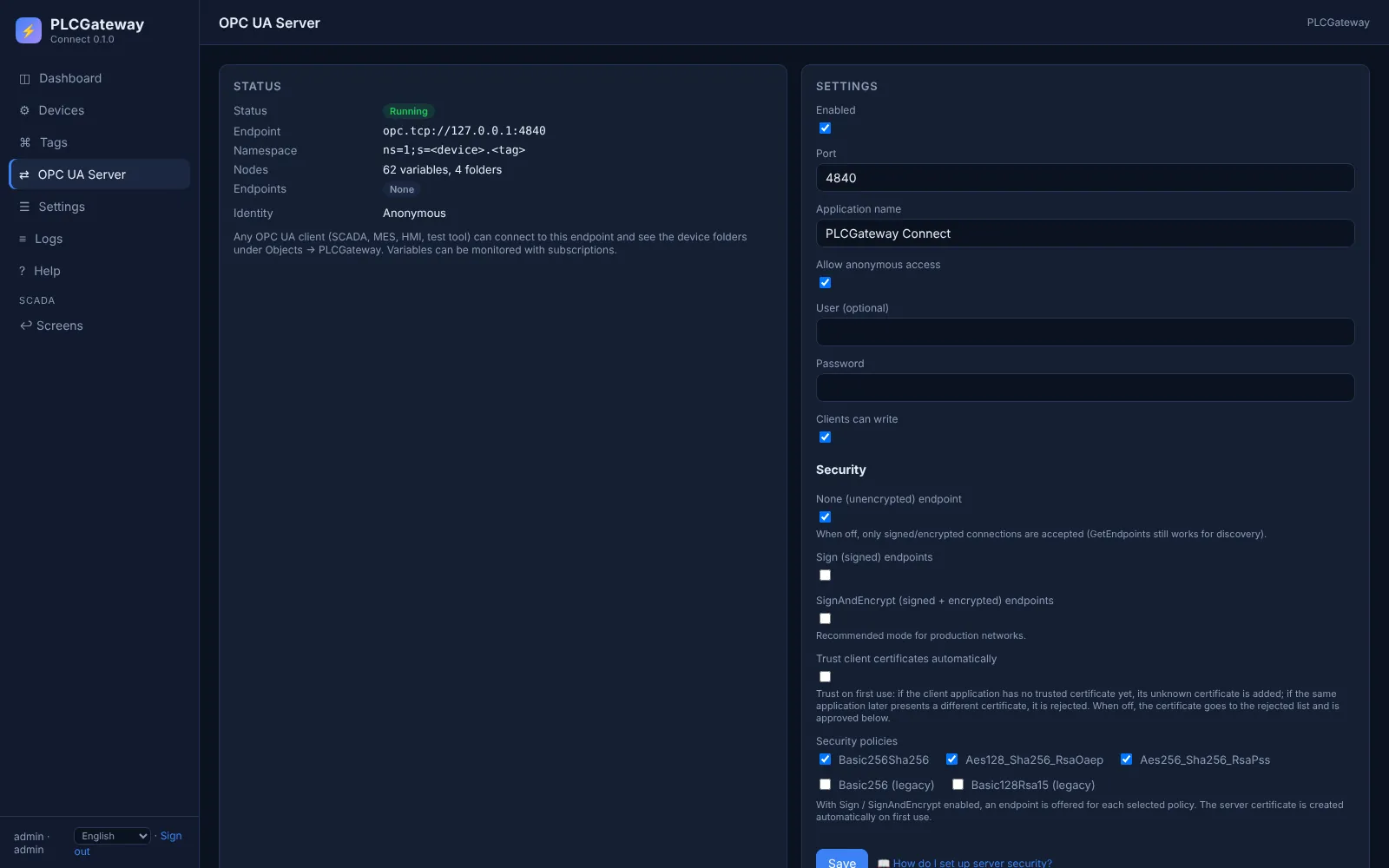
Open Gateway → OPC UA and choose the security modes and whether clients sign in anonymously or with user name and password.
Connect your OPC UA client (UaExpert, an MES, a SCADA) to opc.tcp://<gateway>:4840 and browse Objects → PLCGateway.
Example: node ids in the OPC UA server
A device with the id rslinx and these tags appears in the address space as shown below. Names and values are examples.
| Tag | Address | Example value |
|---|---|---|
MotorSpeed | Line1.Motor1.Speed | 1450.5 rpm |
N7_0 | [PLC1]N7:0 | 215 |
OPC UA node ids
opc.tcp://<gateway>:4840
Objects / PLCGateway / rslinx
ns=1;s=rslinx.MotorSpeed  = 1450.5
ns=1;s=rslinx.N7_0        = 215
Every tag is a variable under Objects / PLCGateway / device in namespace 1; clients read it, write it and subscribe to its changes.
The OPC UA server in PLCGateway
Every tag becomes a variable in PLCGateway's built-in OPC UA server, so MES, ERP, SCADA and historians use one standard endpoint instead of each controller's own protocol. Clients browse the devices and tags, read, write and subscribe to value changes.
The server offers the security modes None, Sign and SignAndEncrypt with automatically generated certificates; clients sign in anonymously or with user name and password.
- One endpoint (opc.tcp, port 4840) for all devices and protocols
- A folder per device and a variable per tag, with description and unit
- Subscriptions with data-change notifications; writing only where the tag allows it
- Client certificates are approved in the web interface
Controllers and devices
Equipment that is typically connected with this driver.
Questions and answers
Does it run on Linux?
The OPC DA client needs Windows, because OPC DA is a Windows COM technology. Every other driver and the OPC UA server also run on Linux.
Which OPC DA servers work?
Servers with the OPC DA 2.0 interfaces, for example RSLinx Classic, SIMATIC NET and the DA interface of other vendors' OPC servers.
Can I reach a DA server on another computer?
Yes, over DCOM with the computer name and, if needed, domain, user and password. Installing PLCGateway on the server computer avoids DCOM altogether and is the recommended way.
Connect your machines
Tell us which controllers you run; we show you PLCGateway with your own addresses.
Product and model names are trademarks of their owners. They are named only to show which equipment the drivers communicate with; PLCGateway is not affiliated with these companies.