Siemens S7 to OPC UA
PLCGateway reads SIMATIC controllers with the native S7 protocol and serves their data from an OPC UA server – also for S7-300, S7-400 and LOGO!, which have no OPC UA server of their own.
S7-300, S7-400 and LOGO! controllers cannot serve OPC UA, and on S7-1200 and S7-1500 the built-in server needs a suitable firmware and a runtime licence per CPU. PLCGateway adds OPC UA from outside: it reads data blocks, markers, inputs and outputs over ISO-on-TCP and offers each tag as an OPC UA variable.
All controllers of a plant, old and new, end up under one endpoint with one security configuration, which is easier to maintain than a separate OPC UA setup in every CPU.
- Source
- Siemens S7
s7 - Connection
- ISO-on-TCP (RFC 1006) · TCP 102
- Target
- OPC UA
- Writing
- yes
Set it up in five steps
In TIA Portal allow PUT/GET communication and switch off optimised block access for the data blocks to read (S7-1200 / S7-1500).
Add an S7 device with the IP address; rack 0, slot 1 for S7-1200/1500, rack 0, slot 2 for S7-300/400, or the TSAP for LOGO!.
Enter the tags with their addresses or import them from CSV and test the connection.
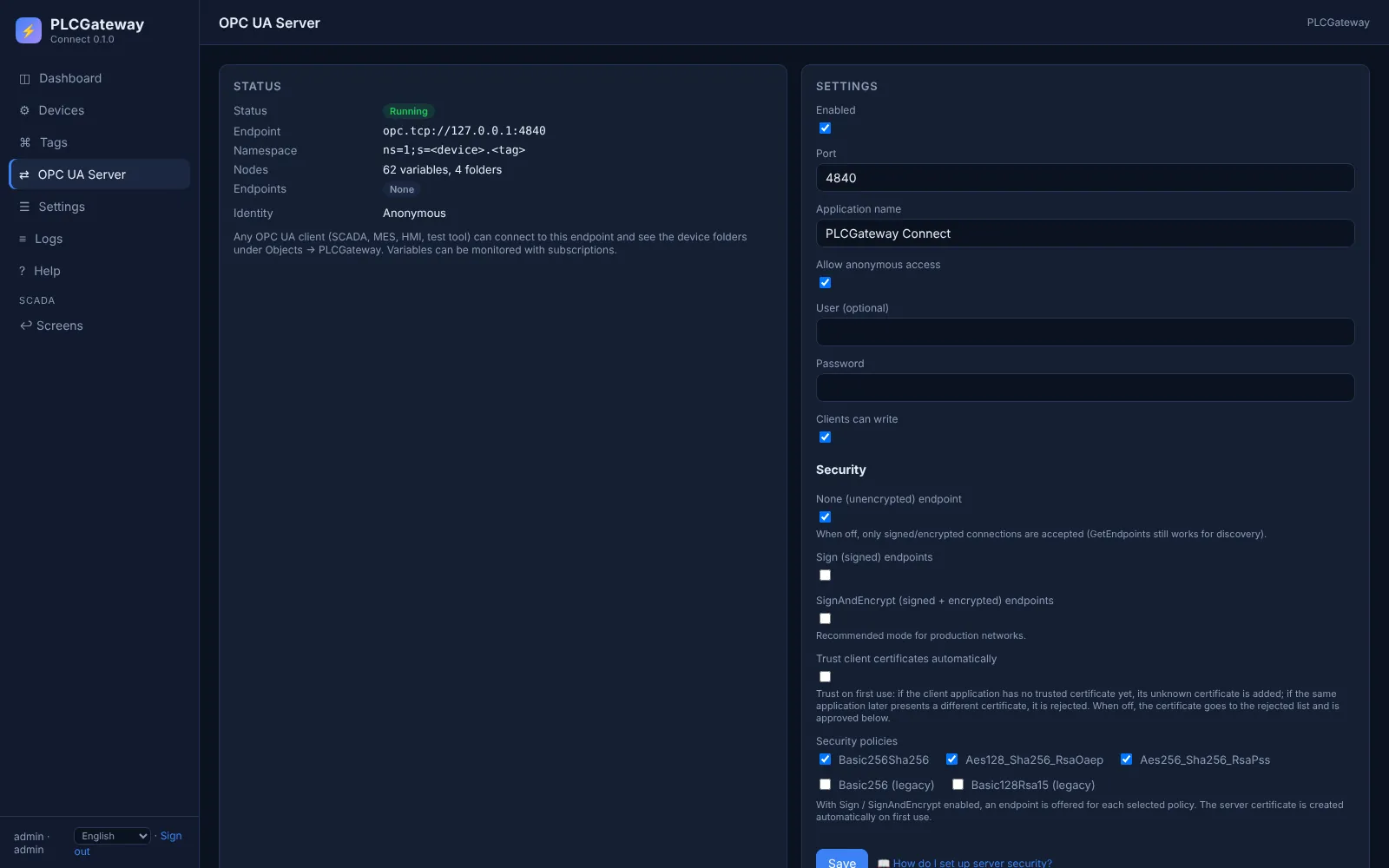
Open Gateway → OPC UA and choose the security modes and whether clients sign in anonymously or with user name and password.
Connect your OPC UA client (UaExpert, an MES, a SCADA) to opc.tcp://<gateway>:4840 and browse Objects → PLCGateway.
Example: node ids in the OPC UA server
A device with the id press1 and these tags appears in the address space as shown below. Names and values are examples.
| Tag | Address | Example value |
|---|---|---|
Speed | DB1.DBD4 | 1450.5 rpm |
PartCount | DB1.DBW2 | 1284 |
Running | DB1.DBX0.3 | true |
Recipe | DB10.DBS20[32] | A-104 |
OPC UA node ids
opc.tcp://<gateway>:4840
Objects / PLCGateway / press1
ns=1;s=press1.Speed      = 1450.5
ns=1;s=press1.PartCount  = 1284
ns=1;s=press1.Running    = true
ns=1;s=press1.Recipe     = "A-104"
Every tag is a variable under Objects / PLCGateway / device in namespace 1; clients read it, write it and subscribe to its changes.
The OPC UA server in PLCGateway
Every tag becomes a variable in PLCGateway's built-in OPC UA server, so MES, ERP, SCADA and historians use one standard endpoint instead of each controller's own protocol. Clients browse the devices and tags, read, write and subscribe to value changes.
The server offers the security modes None, Sign and SignAndEncrypt with automatically generated certificates; clients sign in anonymously or with user name and password.
- One endpoint (opc.tcp, port 4840) for all devices and protocols
- A folder per device and a variable per tag, with description and unit
- Subscriptions with data-change notifications; writing only where the tag allows it
- Client certificates are approved in the web interface
Controllers and devices
Equipment that is typically connected with this driver.
Questions and answers
Does this replace an OPC server such as KEPServerEX or SIMATIC NET?
For reading and writing S7 data over OPC UA, yes: PLCGateway is the OPC UA server and talks S7 to the controllers. It runs on Windows and Linux, and one licence includes every driver.
My S7-1500 already has an OPC UA server. Which way is better?
Both work. The S7 driver needs no licence on the CPU and is fast for cyclic values; PLCGateway's OPC UA client can use the CPU's own server with its symbolic names instead. Many plants mix both.
Can OPC UA clients write to the PLC?
Yes. Tags that are not read only can be written when writing is allowed in the OPC UA server settings.
Connect your machines
Tell us which controllers you run; we show you PLCGateway with your own addresses.
Product and model names are trademarks of their owners. They are named only to show which equipment the drivers communicate with; PLCGateway is not affiliated with these companies.