OEE data collection for Haas CNC machines
PLCGateway reads running state, part counter and cycle times from Haas NGC and Classic controls and calculates availability, performance and OEE for every machine and shift.
Haas machines report what an OEE calculation needs through Machine Data Collection: whether a program is running, the part counter, the last cycle time and alarms. PLCGateway reads these values over Ethernet and records them, so running time, stops and output are measured instead of written down.
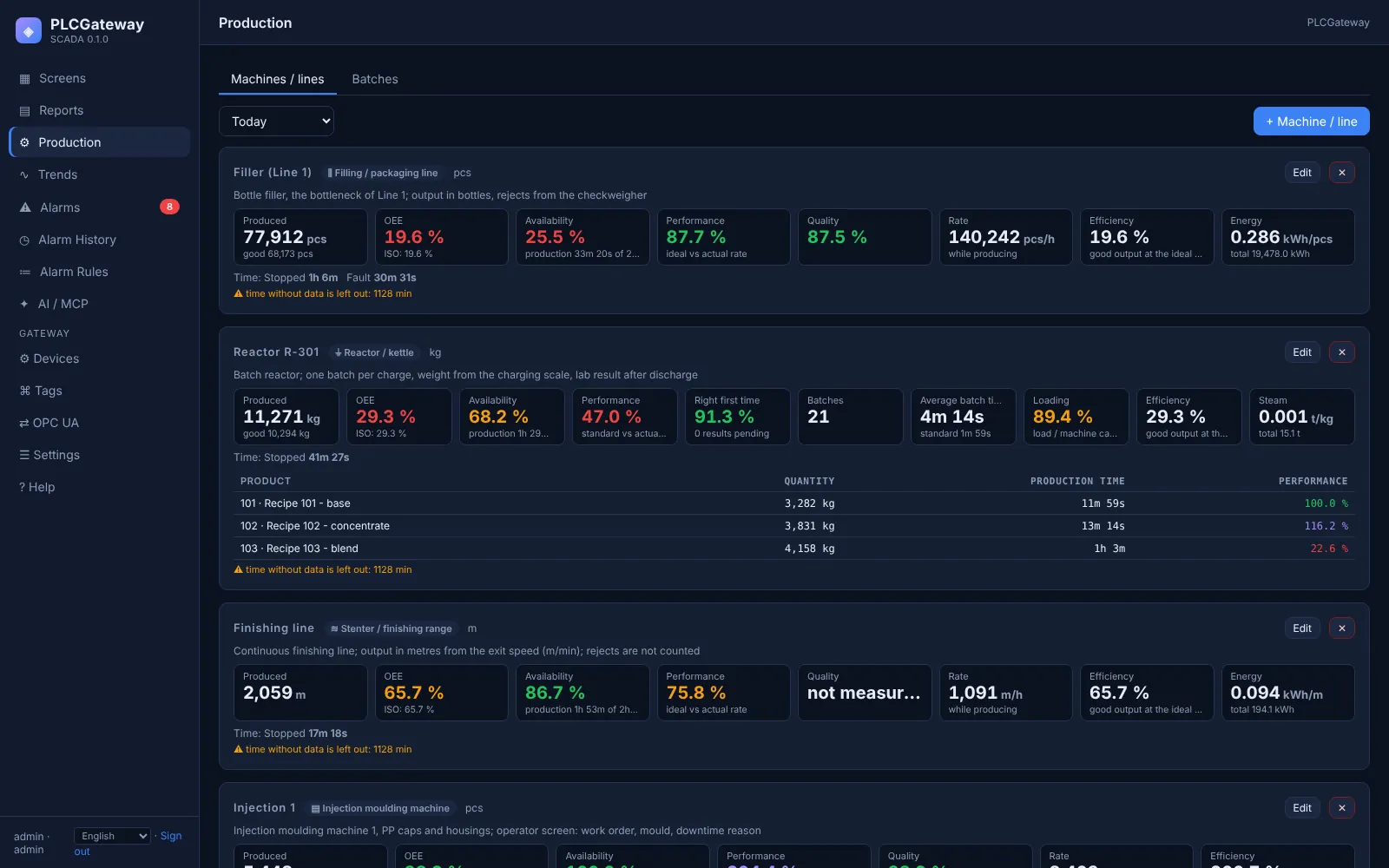
In the production model each machine is defined once as a CNC with its running signal, its part counter and the ideal cycle time of the program. The Production page then shows OEE live, and operators add downtime reasons on a screen next to the machine.
- Source
- Haas machine data collection
haas_q - Connection
- TCP · port of Setting 143
- Target
- OEE and production model
- Included in
- PLCGateway SCADA
PLCGateway Embedded
Set it up in five steps
On the machine set Setting 143 (Machine Data Collection) to a TCP port, for example 5051.
Add a Haas device with the IP address and the port.
Create the tags for status, program, parts and spindle.
Open the Production page, add a machine of the type CNC and bind the running signal, the part counter and the ideal cycle time.
Check the preview with real data, save, and follow availability, performance, quality and OEE per shift on the Production page and in the reports.
Example: the tags behind the OEE figures
A device with the id vf2 and tags like these are enough for availability and cycle counting. Names and values are examples.
| Tag | Address | Example value |
|---|---|---|
Running | running | true |
Status | status | BUSY |
Parts | parts | 352 |
SpindleRpm | spindle_rpm | 7500 rpm |
LastCycle | last_cycle | 184 s |
OEE from the machine's own signals
In PLCGateway SCADA each machine is defined once in the production model: the running signal, the counter that counts the parts, the ideal cycle time and, where available, good and reject counts. Availability, performance, quality and OEE are then calculated from the recorded history for any period, shift or day.
Operators choose downtime reasons on a screen, and the same figures appear on the Production page, in report dashboards and in the answers of an AI assistant connected over MCP.
- Machine editor in five steps, with a preview of the figures from real data
- Ideal cycle time per program or product, not only per machine
- Downtime reasons and planned stops from operator screens or machine signals
- Report dashboards per day, week or shift, exported as CSV, PNG or PDF
Controllers and devices
Equipment that is typically connected with this driver.
Questions and answers
Which Haas values are used?
running as the running signal, parts as the counter, program to choose the ideal cycle time, last_cycle to check it, and alarm to explain stops.
Does it work on older Haas machines?
Yes, as long as the Classic control offers Machine Data Collection over Ethernet. Machines without it can be connected through an I/O module or a small PLC that is read over Modbus.
Can the work order be sent to the machine?
Yes. Macro variables are writable, so a work order number or a target quantity entered on a screen can be written to the control.
Connect your machines
Tell us which controllers you run; we show you PLCGateway with your own addresses.
Product and model names are trademarks of their owners. They are named only to show which equipment the drivers communicate with; PLCGateway is not affiliated with these companies.